IQVIA OneKey
IQVIA OneKey Connector
A bi-directional connection with IQVIA® OneKey enables you to seamlessly integrate OneKey as your third-party data provider for HCOs and HCPs within Network MDM.
Important: A third-party agreement (TPA) must be in place before OneKey data can be loaded into Veeva Network MDM.
Using existing features, IQVIA data is automatically delivered in a consumable format, so it can be loaded and mastered before being shared with Vault CRM or other downstream systems.
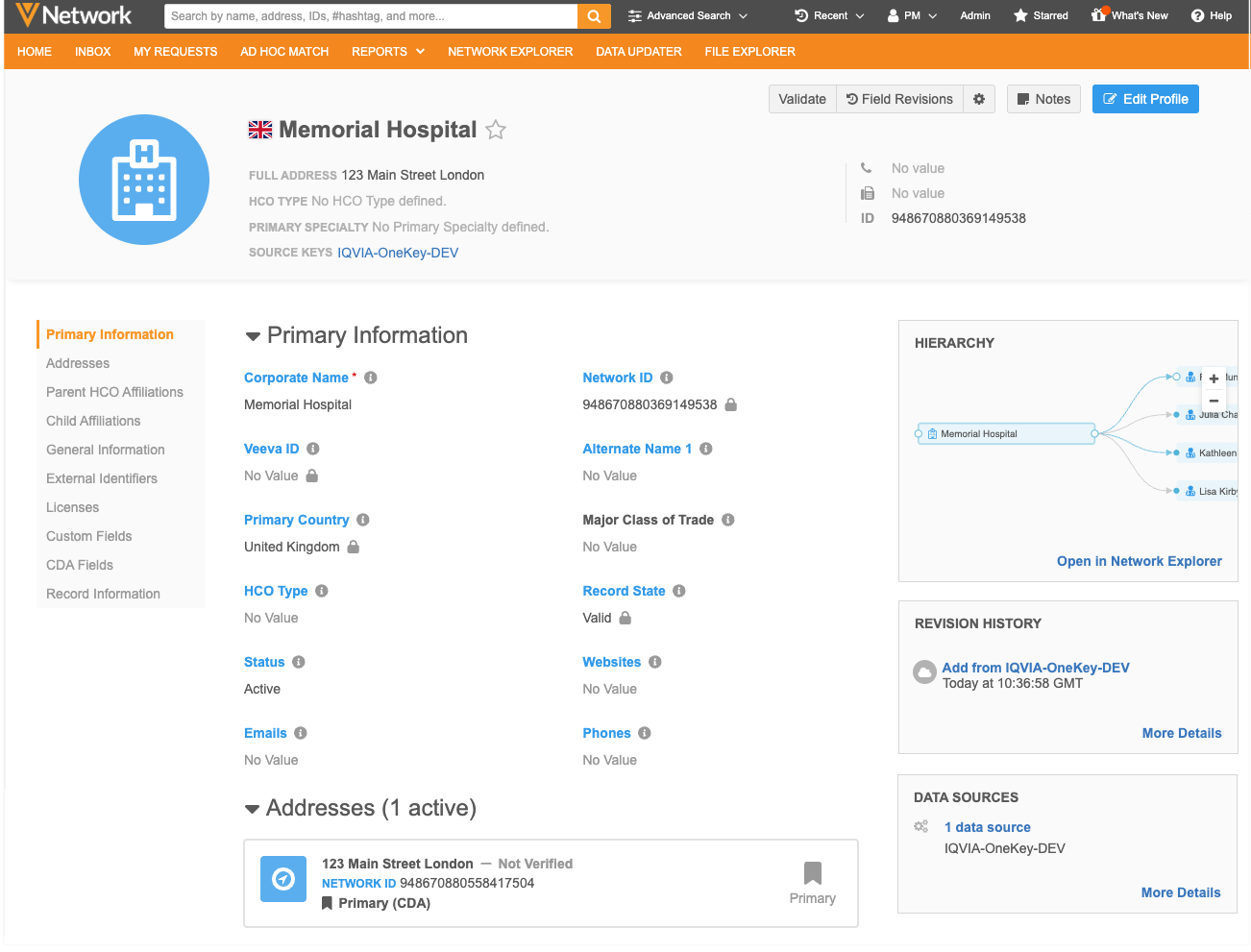
This feature is available by default.
Note: Configuration tasks are required for existing Network MDM features. Details will be available in the Veeva Network MDM Online Help in early May.
Process overview
The integration process is fully automated so Administrators don't have to manually load the third-party data and extract the DCRs for IQVIA to process.
-
Data via file delivery (FTP): IQVIA loads data files directly into your Network MDM FTP folder.
-
Loading data into Network MDM: A scheduled source subscription loads the data into your instance.
-
Integrating with Vault CRM - The data is pushed to Vault CRM through the Vault CRM Bridge.
-
Submitting DCRs: Users in Vault CRM and Network MDM can submit add and change requests on OneKey records.
-
Extracting DCRs (API): IQVIA extracts the DCRs from your instance using the Search Change Request API.
-
Sending DCR responses: IQVIA verifies the changes and sends the DCR responses (Accept/Reject) back to your FTP along with the regularly scheduled delta data updates.
The scheduled source subscription loads the delta files and the DCR response file and updates the records in Network MDM.
Supported objects
-
HCO
-
HCP
-
Address
-
License
-
Parent HCO
Supported countries
-
All countries except China and Japan.
Managing IQVIA data in Network MDM
The following existing features are used for the IQVIA OneKey data integration. Some updates have been made to support the data.
- Systems - The system identifies records as third-party master data which defines how the data is visualized, mastered, and updated.
A new system configuration for IQVIA OneKey is now available.
-
Source subscriptions - A source subscription assigned to the IQVIA OneKey system is used as the master feed.
IQVIA will provide files for objects and DCR responses to the Network MDM FTP server. The files will be loaded through this source subscription.
-
Network MDM API - IQVIA uses the Search Change Request API to pull DCRs for verification and processing against the OneKey database.
Updates are made to the API to ensure that IQVIA receives the required details to process the changes and provide the DCR response.
IQVIA-OneKey system
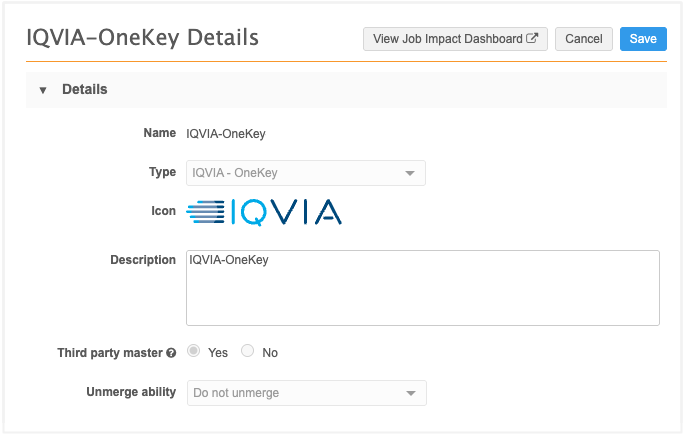
A third-party master system configuration is now available for IQVIA data.
The configuration automatically applies third-party master settings and allows for granular DCR routing by country, object, or specific field.
Add a system
Before loading OneKey data, create a system to assign to the source subscription that will be used as the master feed.
-
In the Admin console, click System Interfaces > Systems.
-
Click Add System.
-
Type a Name and Description.
-
Expand the Type list and choose IQVIA - OneKey.
-
The following settings are automatically applied:
-
Third party master
-
Unmerge ability
-
-
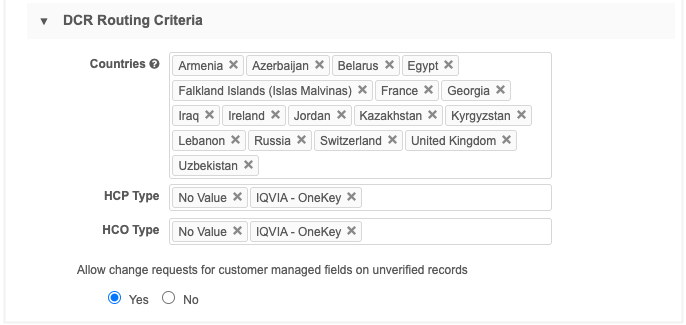
In the DCR Routing Criteria, define the configuration for routing records to IQVIA for DCR processing.
-
Countries - Add the countries.
-
HCP Type - Select All HCP Types, None, No Value, or specific types.
-
HCO Type - Select All HCO Types, None, No Value, or specific types.
-
-
Allow change requests for customer managed fields on unverified records - Route DCRs for customer-managed fields on unverified third-party master records to local data stewards.
This can be helpful when users want to add information to a new OneKey record but the record is still pending approval from IQVIA.
-
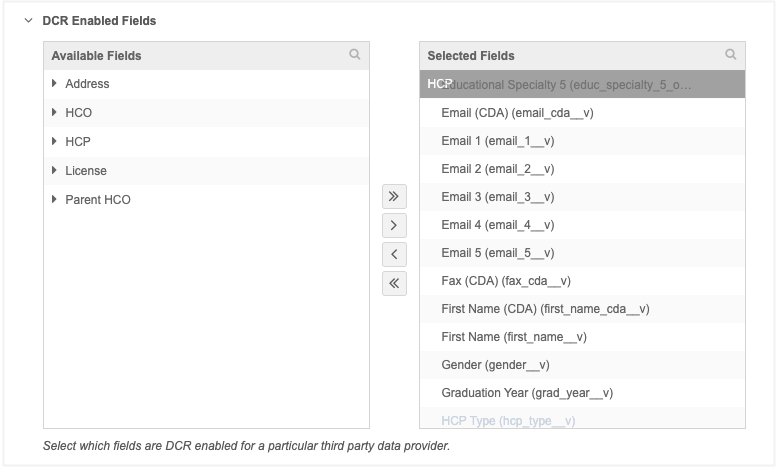
DCR enabled fields - Move all fields that will be managed by IQVIA into the Selected Fields pane. CDA fields are now supported for third-party system configurations.
Changes to the fields will be routed to IQVIA to process. Fields that remain in the Available Fields pane will be managed locally.
CDA fields
CDA fields are supported for IQVIA system configurations.
When CDA fields are moved to the Selected Fields pane, any legacy fields that are mapped to them will also become mastered by IQVIA for example,
first_name_cda__vandfirst_name__vfields for HCPs would both be mastered by IQVIA.Tip: Data Managers and Admins can quickly identify the IQVIA-mastered fields for each object in the data model; they are tagged as "IQVIA". For more information, see the "Data model field tags" feature in these Release Notes.
-
Save the system.
After the system is saved, it cannot be changed to another type of system. Existing systems can be changed to IQVIA - OneKey.
For additional details about the system settings, see Add a third-party master system in the Veeva Network MDM Online Help.
Network MDM API updates
IQVIA will use the Search Change Request API to retrieve DCRs submitted for OneKey data.
The following updates have been made to the API response to ensure IQVIA receives all required IDs and details for processing DCRs.
-
IQVIA OneKey ID fields
-
OneKey object details
These updates are available in Network MDM API v38.0 and later.
OneKey ID and details
When the systemName parameter is used in the API call, the response includes specific identifiers required by IQVIA to generate a DCR response file to provide back to Network MDM.
IDs
A OneKey ID is included for each object:
-
onekey_id__v- All objects (HCP, HCO, Address, License, ParentHCO)
-
parent_hco_onekey_id__v- ParentHCO
-
address_onekey_id__v- License
If the field value is empty, a null value is returned.
Details
-
object_id - all objects
-
object_name - all objects
-
parent_entity_custom_keys - Parent HCOs
This contains all the custom keys of the related active HCO.
Sample request
https://verteo.veevanetwork.com/api/v38.0/change_request/search?systemName=IQVIA-OneKey
Example response
{
  "responseStatus": "SUCCESS",
  "totalCount": 1,
  "offset": 0,
  "limit": 50,
  "change_requests": [
    {
      "change_request_id": "948551927178005663",
      "status__v": "CHANGE_PENDINGREVIEW",
      "result__v": null,
      "entity_type": "HCP",
      "vid_key": "Network:Entity:948547277608978016",
      "vid__v": "948547277608978016",
      "metadata": {
        "creator": "crmuser@pharma.com",
        "note": "Change at PARENTHCO level on HCP",
        "source": "Veeva Network",
        "system": "change_request"
      },
      "resolution_notes": null,
      "entity": {
        "onekey_id__v": "WUKR00274291",
        "object_id": "948551927177350302",
        "object_name": "HCP",
        "parent_hcos__v": [
          {
            "vid_key": "Network:Entity:948547277624378976",
            "vid__v": "948547277624378976",
            "object_id": "948551927177350303",
            "object_name": "RELATION",
            "parent_hco_onekey_id__v": "WUKH00012018",
            "onekey_id__v": "WUKR0027429101",
            "role_1_onekey__c": {
              "change_requested": "1TH_ADM003",
              "final_value": null,
              "result": null
            },
            "role_2_onekey__c": {
              "change_requested": "1TH_PAR006",
              "final_value": null,
              "result": null
            },
            "is_primary_relationship__v": {
              "change_requested": "N",
              "final_value": null,
              "result": null
            },
            "external_custom_keys": [
              "IQVIA-OneKey:RELATION:WUKR0027429101"
            ],
            "parent_entity_custom_keys": [
              "IQVIA-OneKey:HCO:WUKR0027429569"
            ]
          }
        ],
        "external_custom_keys": [
          "IQVIA-OneKey:HCP:WUKR00274291"
        ]
      },
      "created_date": "2026-03-04T02:23:40.000-08:00",
      "completed_date": null,
      "taskCountry": "GB",
      "task_type": "CHANGE_REQUEST",
      "original_task_type": "CHANGE_REQUEST",
      "parent_task_ids": [],
      "reserved_vid": null
    }
  ]
}
For details about using the Search Change Request API, see the Veeva Network MDM Developer Help.
IQVIA fields
New fields have been added to support IQVIA® OneKey data.
Important: A third-party agreement (TPA) must be in place before IQVIA data can be loaded into Veeva Network MDM.
ID fields
The new ID fields are text type fields.
| Field Name | Label | Description | Object |
|---|---|---|---|
| onekey_id__v | OneKey ID | Unique IQVIA - OneKey ID | HCP, HCO, Address, License, ParentHCO |
| entity_onekey_id__v | OneKey ID of Owner | OneKey Entity ID | Address, License, ParentHCO |
| parent_hco_onekey_id__v | OneKey Parent Affiliation | Unique Parent HCO OneKey ID | ParentHCO |
| address_onekey_id__v | Address OneKey ID | Unique address OneKey ID for licenses | License |
These are customer managed fields. They will not be managed by Veeva OpenData.
Enable the fields
Administrators and Data Managers can enable the fields for existing instances.
Third-party system owner field
A new reference field is populated when IQVIA data is loaded.
| Field Name | Label | Description | Object |
|---|---|---|---|
| third_party_system_owner__v | Third Party System Owner |
The external data provider name owning the record. |
HCP, HCO, Address, License, ParentHCO |
The field uses the ThirdPartySystemOwner reference type. It includes one reference code: IQVIA.
Enable the field
This field is enabled by default for all new and existing instances.