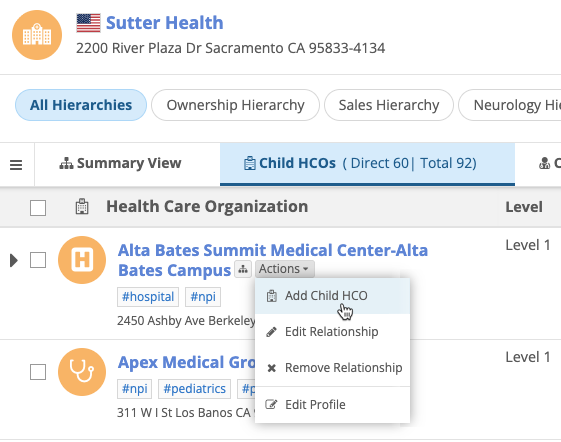
Hierarchy Explorer
Embed Hierarchy Explorer in Vault CRM
As of 25R3.2 (Vault CRM release), the Hierarchy Explorer widget can be seamlessly integrated into Vault CRM Online so users can explore health system hierarchies without leaving Vault CRM. For example, end users can find hospitals, 340B sites, or oncologists directly from the Mayo Clinic account.
Highlights
-
Personalized experience - The widget is tailored to your Vault CRM profile (for example, language and country access) and your widget customizations.
-
Expanded visibility - View a broader range of HCOs and HCPs beyond your assigned territory in Vault CRM.
-
Streamlined hierarchy updates - Update hierarchies and submit DCRs directly from the widget without having to navigate between individual account records.
-
Simple setup - Administrators can quickly configure the widget integration by completing a few tasks in both Network MDM and Vault CRM without any development effort.
-
Access from HCO accounts - End users can open the widget directly from an HCO account.
Network configuration
To support this integration, Hierarchy Explorer widget configurations now contain an Embed in Vault CRM button. Administrators can click the button to display the settings that will be used in Vault CRM to connect to the widget.
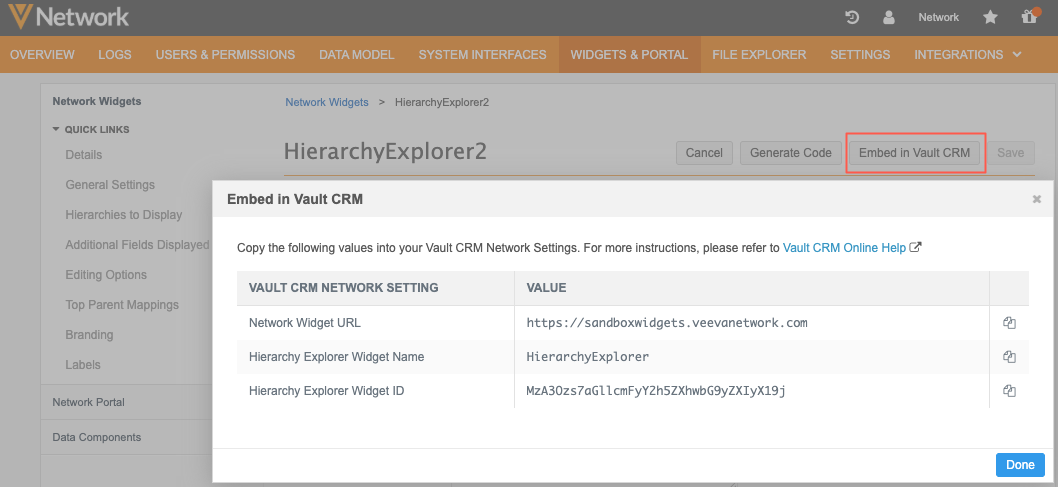
This enhancement was introduced in Network MDM 25R3.0.2. The Embed in Vault CRM button is available now by default on new and existing Hierarchy Explorer widget configurations.
Vault CRM Support
This integration is supported in Vault CRM 25R3.2 (January 2026).
Enable the integration
To display Hierarchy Explorer in Vault CRM, administrators must first complete the required tasks in both applications.
For details, see the following topics:
-
Vault CRM Online Help - Network Hierarchy Explorer
-
Network MDM Online Help - Embed Hierarchy Explorer in Vault CRM
Search widget integration
Vault CRM users can access a Search widget from Hierarchy Explorer so they can search for and download records directly from Veeva OpenData.
Note: Downloading a record in the widget does not add the records to the user's territory in Vault CRM.
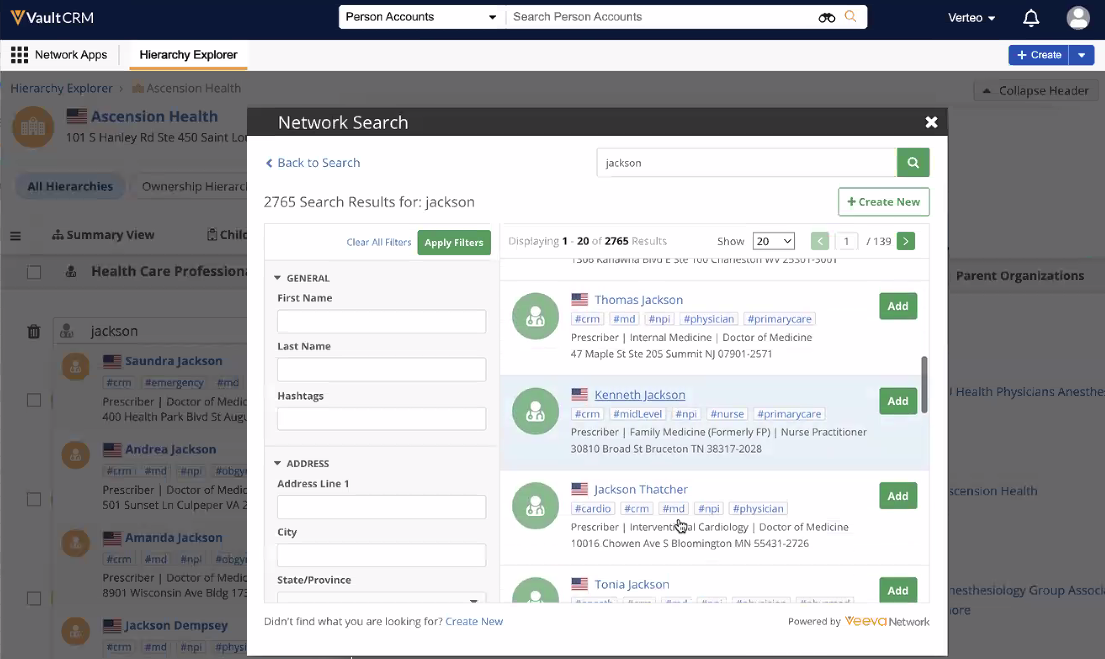
This enhancement is enabled by default if a Search widget is defined in the Hierarchy Explorer widget configuration.
Access the Search widget
When you are an account to a hierarchy, click the Search More link in the search results if you can't find the account.
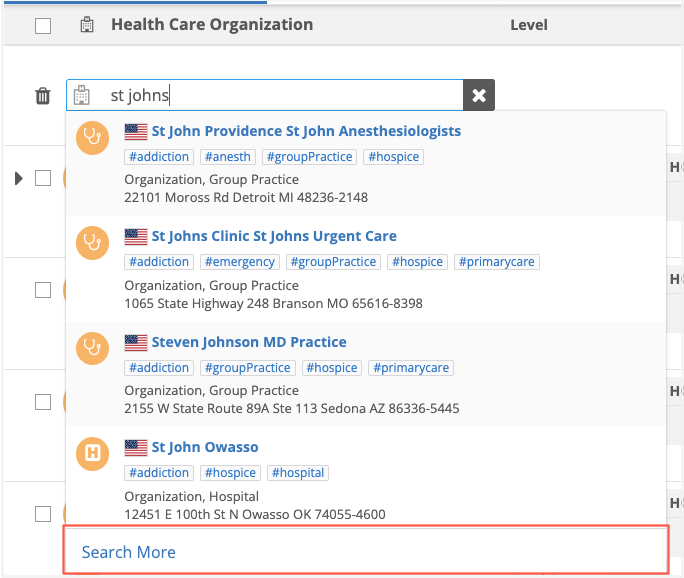
The Search widget displays accounts in your Network MDM instance and accounts that have not yet been downloaded from Veeva OpenData. If the account is not found, users can also create an add request from the Search widget.
Note: Accounts downloaded from OpenData are added to your Network MDM instance.
Data change requests
Data Stewards can now easily identify when add or change requests originate from the Hierarchy Explorer in Vault CRM.
The Creator field now displays the specific Vault CRM user who submitted the request, while the Source field is automatically tagged as VCRM-HierarchyExplorer-<widget_name>.
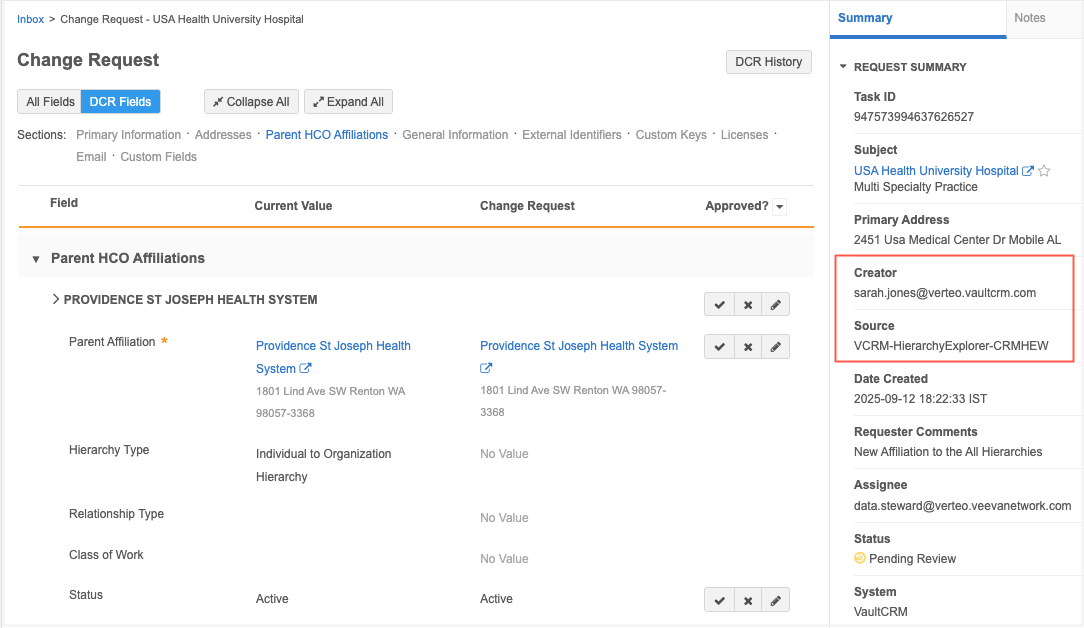
This enhancement is enabled by default.
Search logs
Network administrators can view the actions for each Vault CRM user accessing Hierarchy Explorer from Vault CRM Online.
In the Search Audit History, a Search Origin is added to help Admins quickly find the relevant events. Use the Vault CRM Hierarchy Explorer origin to filter the log table to display the searches performed by Vault CRM users in the widget.
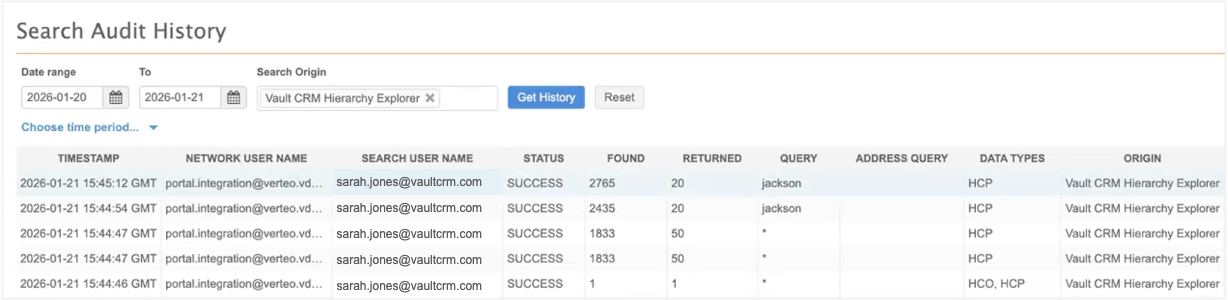
This enhancement is enabled by default.
Affiliation labels
The following affiliation labels for editing hierarchies have been updated for clarity.
| Previous Label | New Label |
|---|---|
| Add Affiliation | Add Child HCO / Add Child HCP |
| Add Parent Affiliation | Add Parent HCO |
| New Affiliation | New Relationship |
| Remove Affiliation | Remove Relationship |
| Edit Affiliation | Edit Relationship |
This change is enabled by default in your Hierarchy Explorer widget.
Example