Explore HCPs
Sales and medical teams can start their Hierarchy Explorer searches with HCPs. You can immediately pinpoint key influencers and relevant HCPs within complex health systems and manage and edit hierarchies directly at the HCP level.
Highlights
-
Accelerated search: Launch the Hierarchy Explorer directly from an HCP record or the Home page, eliminating the need to identify and search for a parent hospital first.
-
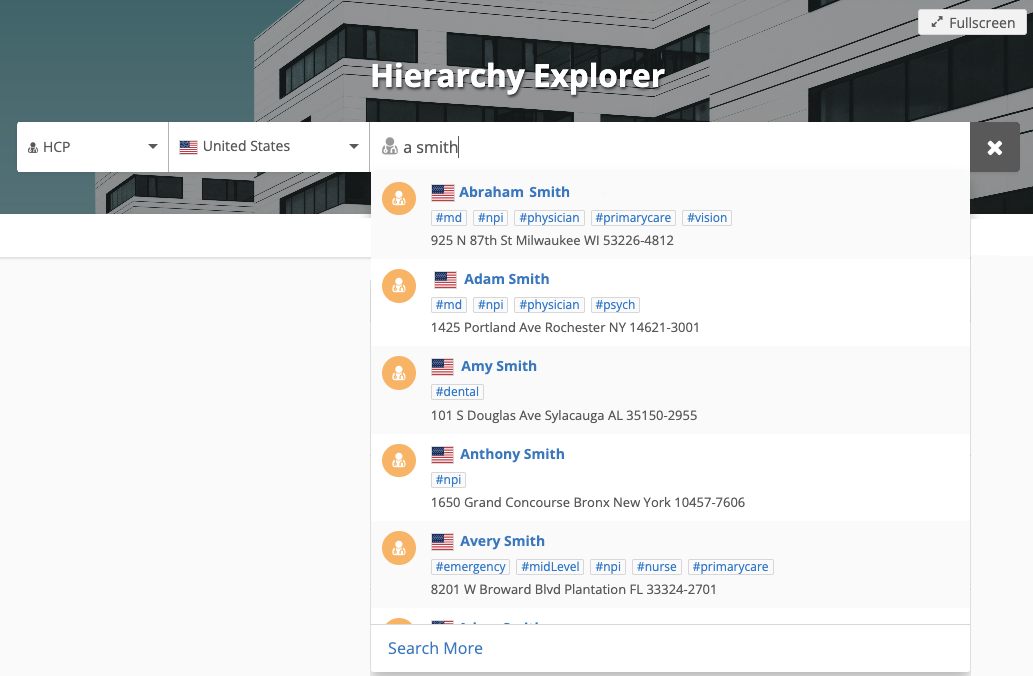
Precision discovery: Use the Advanced Search in your integrated Search widget to pinpoint specific doctors based on granular criteria and immediately visualize their place within a complex health system.
-
HCP focused view: Streamline administrative tasks by viewing and editing relationships directly at the HCP level, rather than navigating through multiple organizational layers.
-
Navigate bottom-up: Starting with the HCP provides a more intuitive "bottom-up" view, making it easier to map out a doctor's entire network of clinics and hospitals.
Search for an HCP
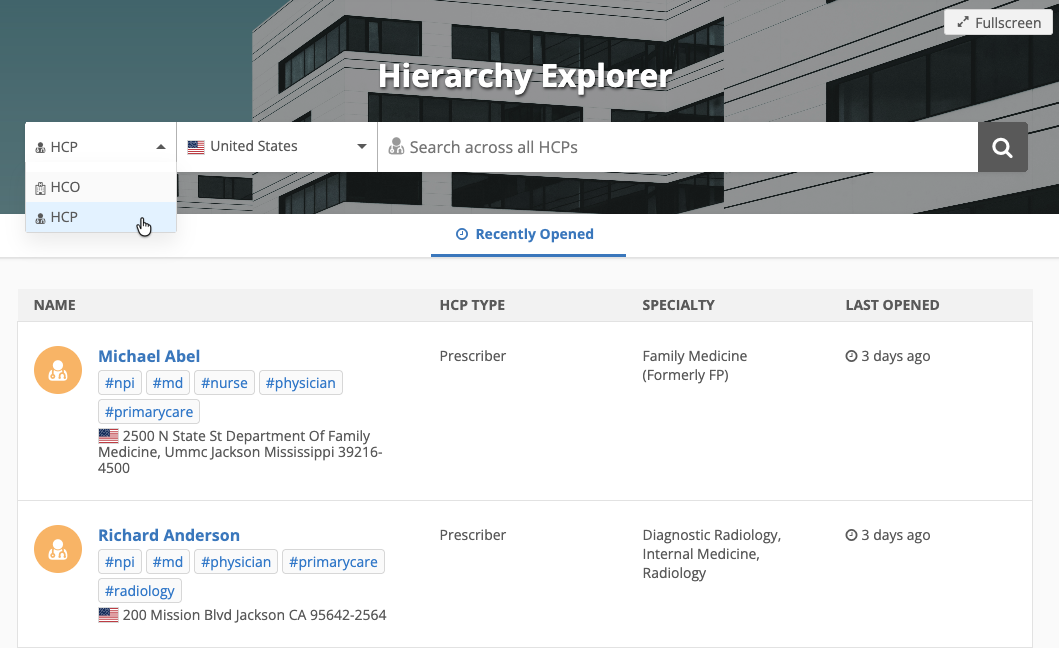
To start your search with HCPs, toggle the object filter on the search bar on the homepage. By default, HCOs display.
If this is the first time you search for an HCP, the Recently Opened page is empty.
HCP view
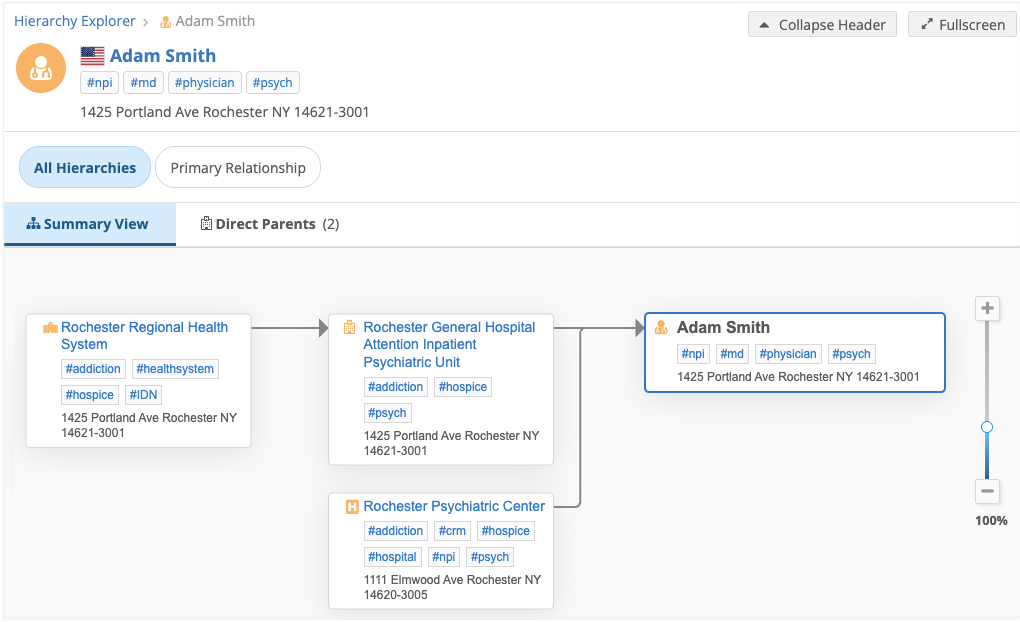
When you click an HCP name, the HCP view displays. All hierarchies available for HCOs are also available for HCPs.
The HCP page displays two tabs:
-
Summary View - The HCP's hierarchy of affiliated HCOs.
- Direct Parents - Displays all parents associated to the HCP.
The following columns (fields) display by default.
Roll-Ups
HCO Type
Relationship Type
Additional columns can be added in the widget configuration.
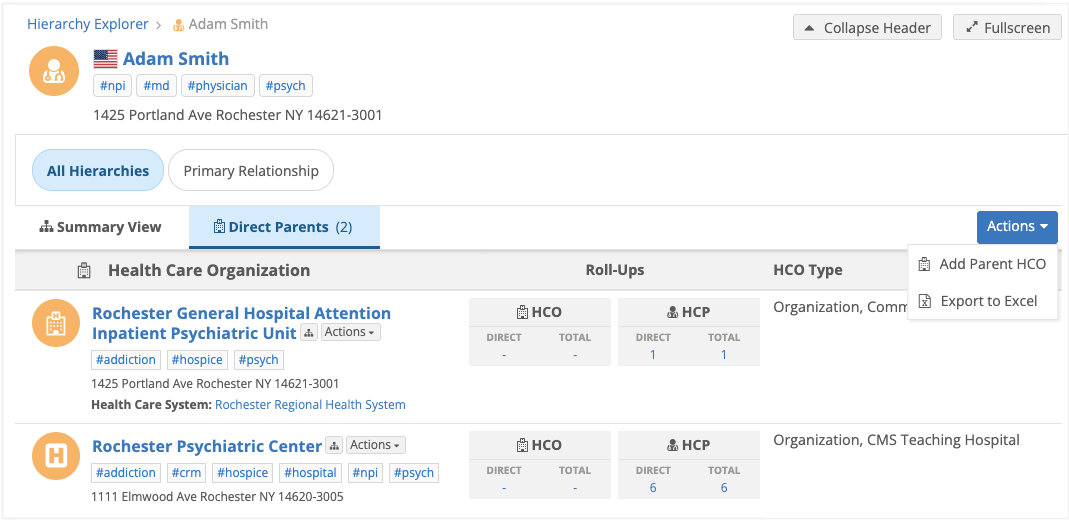
Available actions:
-
Open HCO - Click the HCO name to open the HCO detail page.
-
Add a parent to the hierarchy - Click Actions > Add Parent HCO to add an HCO to the hierarchy.
-
Export the hierarchy - Click Actions > Export to Excel to download the hierarchy as a Microsoft® Excel file.
Vault CRM integration
If the Hierarchy Explorer widget is embedded in Vault CRM, users can immediately access HCPs from the Hierarchy Explorer home page in the CRM application.
For details, see Embed Hierarchy Explorer in Vault CRM.