Admin Permission Set
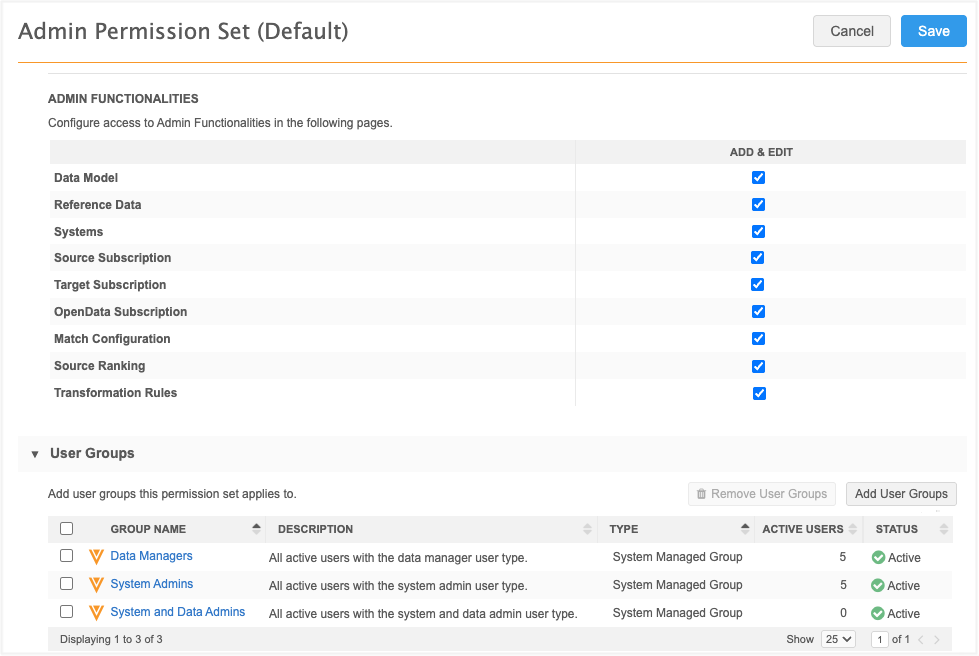
This permission set defines access to admin features for users. Use the permission set to provide or restrict access to features in the Admin console.
For details, see Restricting access to Admin features.
Supported users
The permission set includes the following system-managed user groups:
-
Data Managers
-
System Admins
-
System and Data Admins
These groups contain all users of that type that are defined in your Network MDM instance.
Admin access
All features in the Admin Functionalities section have Add & Edit permissions by default.
Restrict access
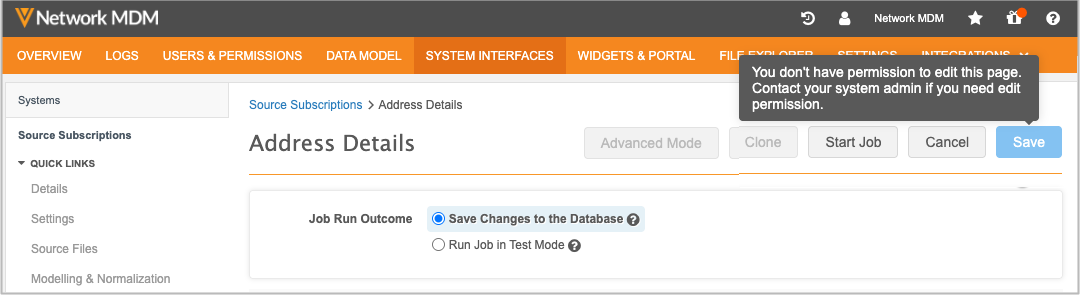
You might want to remove Add & Edit access for Data Manager to features in the Admin console because they should not make configuration changes. If you remove the Data Managers group from the permission set, they will have access to view and run subscriptions but will be restricted from making changes.
Audit
Changes to the permission sets are tracked in the System Audit Log.