Removing field values
Use the Data Updater to quickly empty field values.
Process
-
Identify the records that have a value for that field.
Advanced reporting users can use a SQL query to find records that have a value in that specific field.
-
Create a .csv or .xlsx file that contains only the following columns:
-
vid__v - The Network ID of the entity.
-
<field_name>__v - The field that you want to empty.
-
-
Add null__v to the <field_name>__v column for all rows.
-
Create an Update Records Data Updater job and import the file.
For detailed steps, see Updating records with the Data Updater.
-
Run the job to empty the field values.
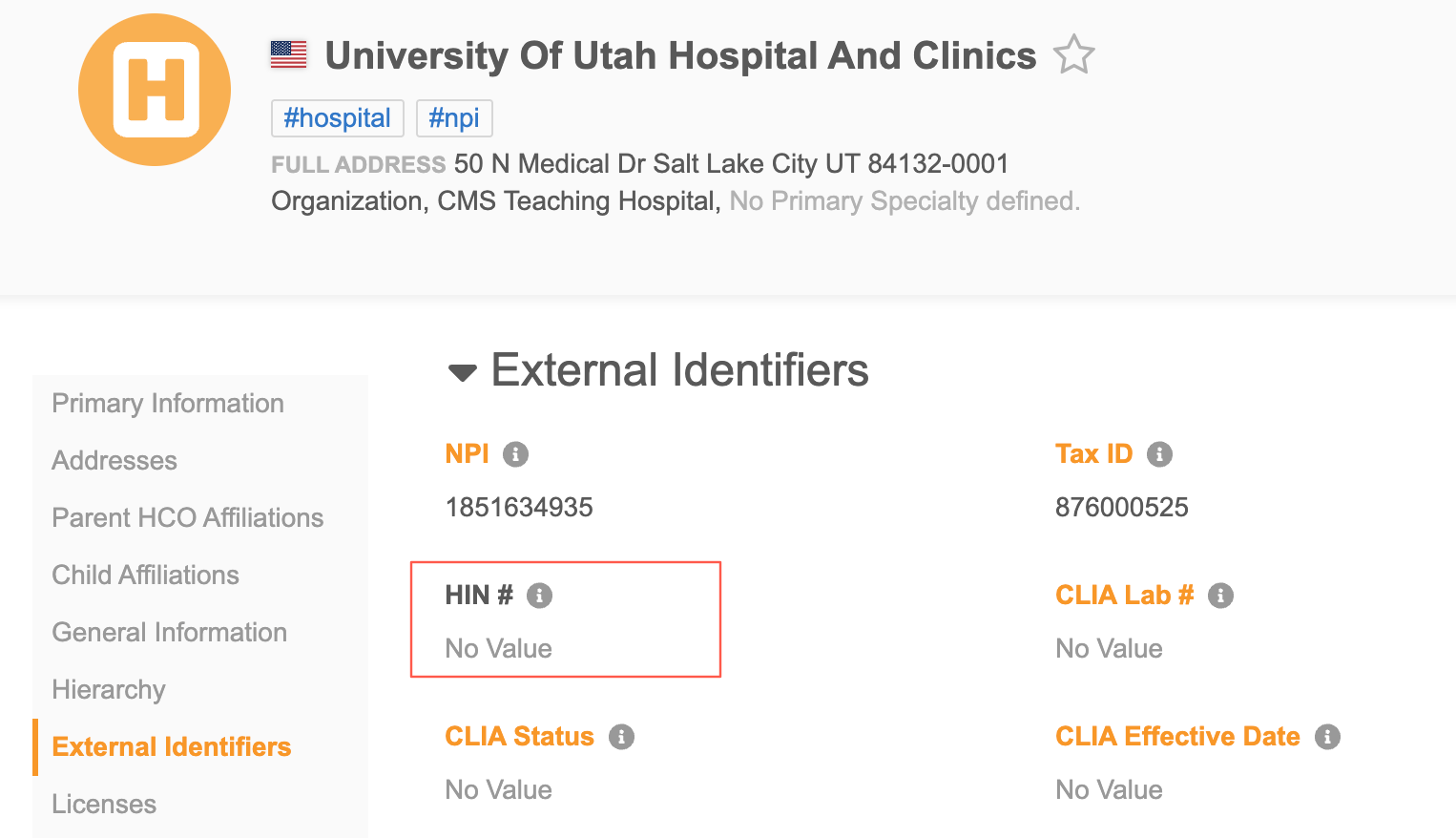
Example: Null out values in the HIN field
The Health Industry Number (HIN) field, hin__v, can be populated by Veeva OpenData if you subscribe to US data and you have a license to receive HIN data.
If you previously received HIN data but are no longer a licensee, the HIN subscription will be disabled in your Network MDM instance and the hin__v field will become locally managed.
You might need to remove the data for compliance.
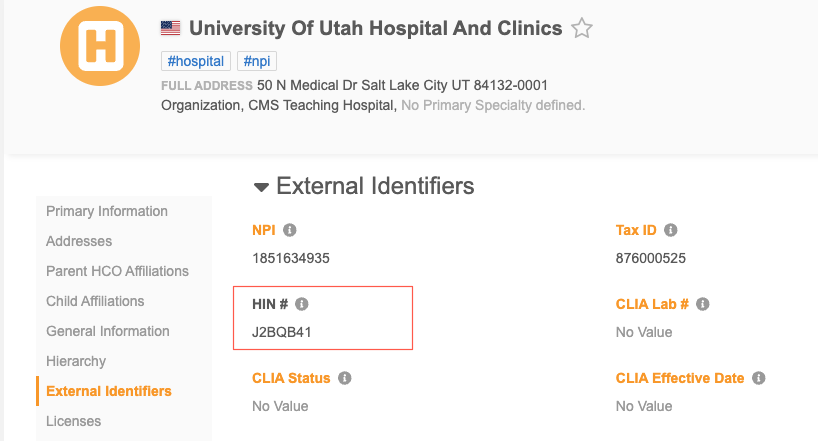
Use this process to empty the field values.
Identify the HCOs with HIN IDs
-
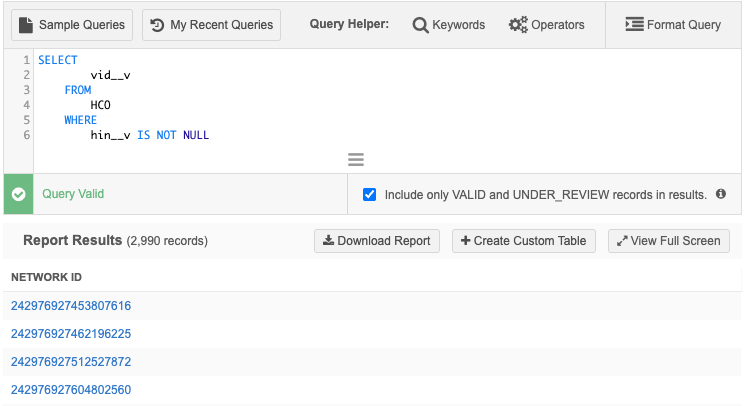
Run the following query in the SQL Query Editor (Reports) to find the records that have a value in the HIN field.
SELECT
        vid__v
    FROM
        HCO
    WHERE
        hin__v IS NOT NULL
The report results will contain the Network ID of each record.
-
Click Download Report to save the results in an .xlsx or .csv file.
If you download the file as .xlsx, in the Export Dropdown fields as section, choose Codes.
The results are downloaded with the following naming convention: Data Warehouse Report_<date_time>.
-
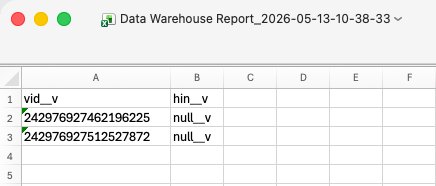
Edit the file to add a second column: hin__v.
-
In the hin__v column, add null__v as the value for all Network IDs.
-
Save the file.
Remove the HIN field values using the Data Updater
-
On the Network MDM menu bar, click Data Updater.
-
Click New Data Operation and choose Update records.
-
On the Upload File step, define the following:
-
Select Object - Choose Health Care Organization.
-
Source System - Choose a system.
-
Third Party Data - Select No. The HIN data was provided by Veeva OpenData.
-
File Upload - Choose the HIN file that you created from the report results.
-
-
Click Continue.
-
The File Summary step displays the processed records and the values of the
vid__vandhin__vfields.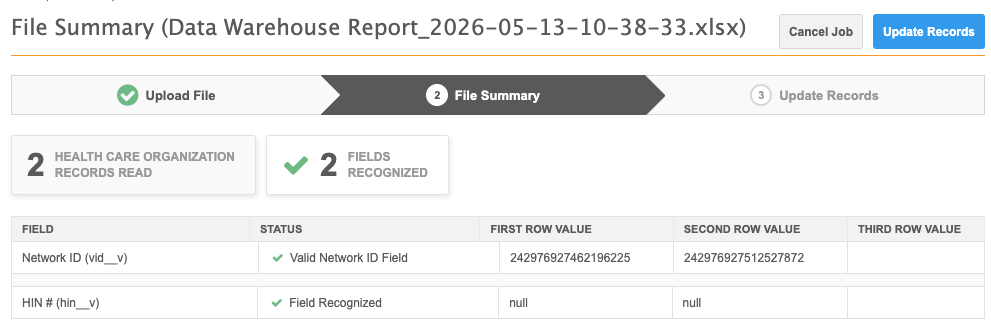
-
Click Update Records.
The job will null out the values in the HIN field for those records.