Profile Inspector
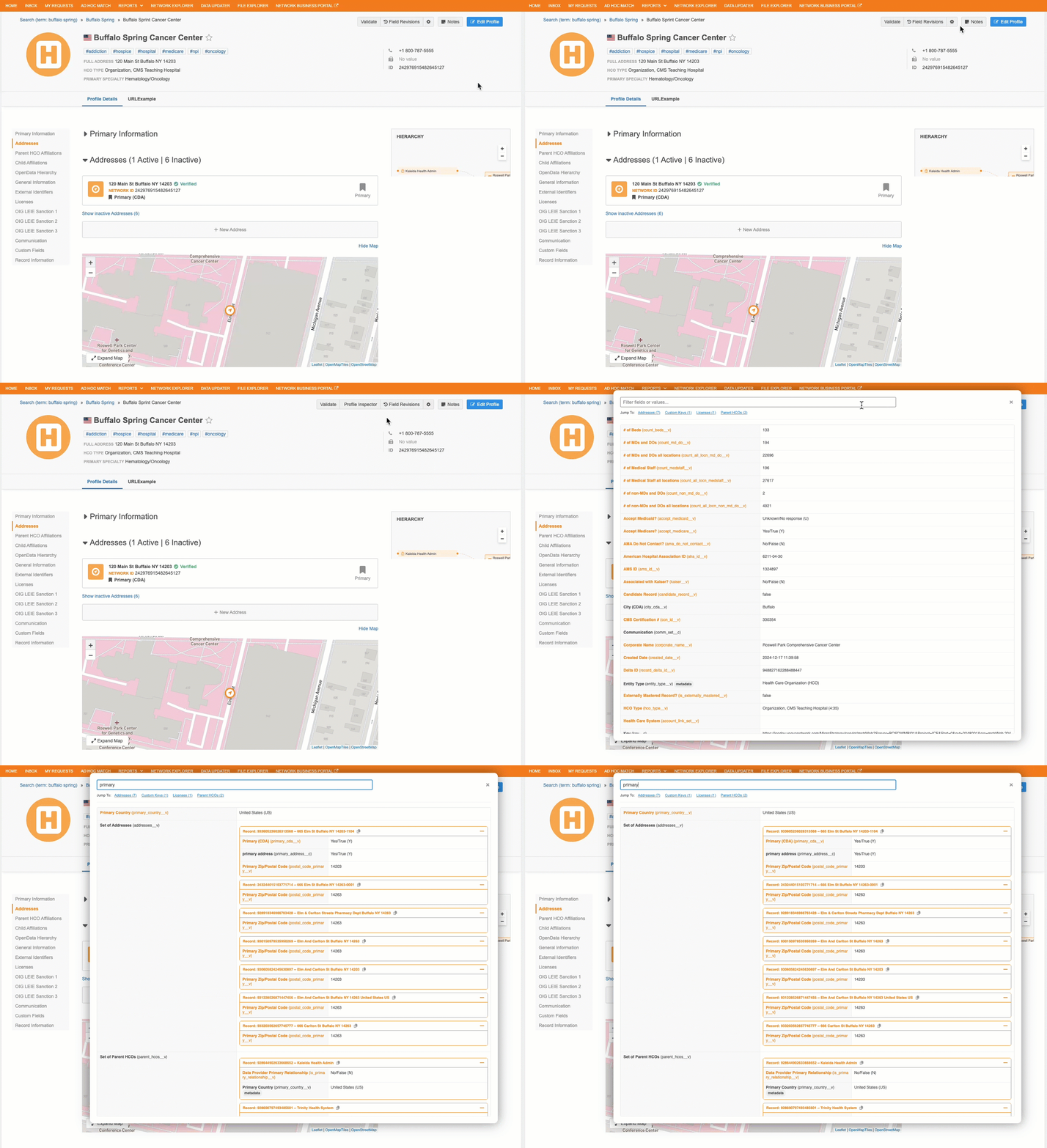
The Profile Inspector is a tool that displays all fields on the record, including fields not on the profile, on a single, easy-to-search screen. Data Stewards can use the view to quickly find fields without digging into the different sections on the Profile page.
Supported users
-
Data Stewards
-
Data Managers
-
System Administrators
-
System and Data Admins
Supported records
-
Type - HCPs, HCOs, custom objects
-
Ownership - Locally managed, Veeva-managed, and third-party managed records.
Profile Inspector can also be used on records that are not yet downloaded from OpenData.
Display on profiles
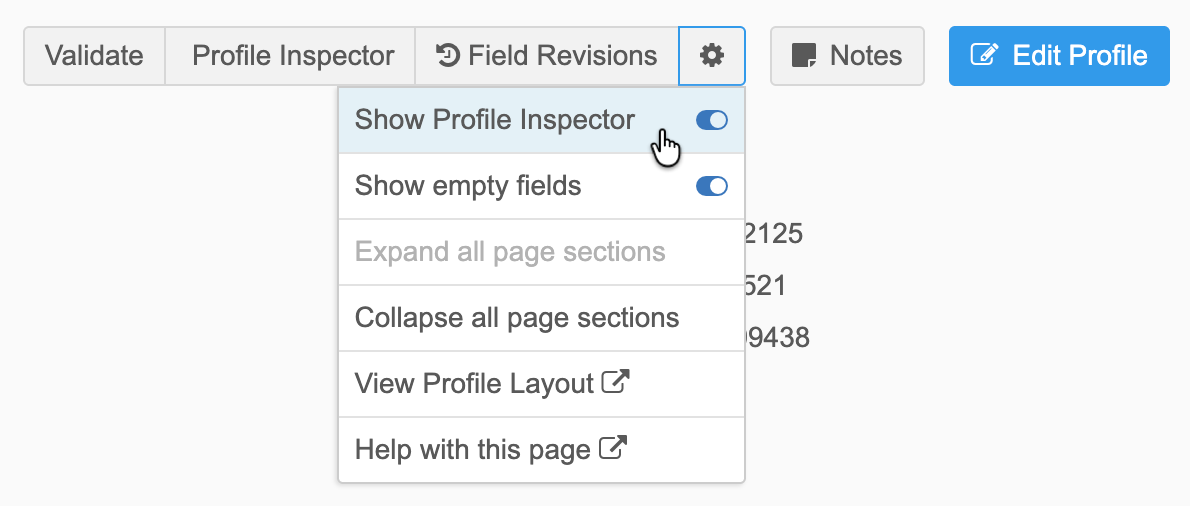
The Profile Inspector button does not display by default on record profiles.
-
To display the button, expand the More Options menu and toggle the Show Profile Inspector option to On.
Your preference is remembered the next time you visit a record profile.
Using Profile Inspector
On any record, click Profile Inspector to open the tool.
Available fields
Profile Inspector includes all fields and values for that record, including fields that do not display on the Profile page.
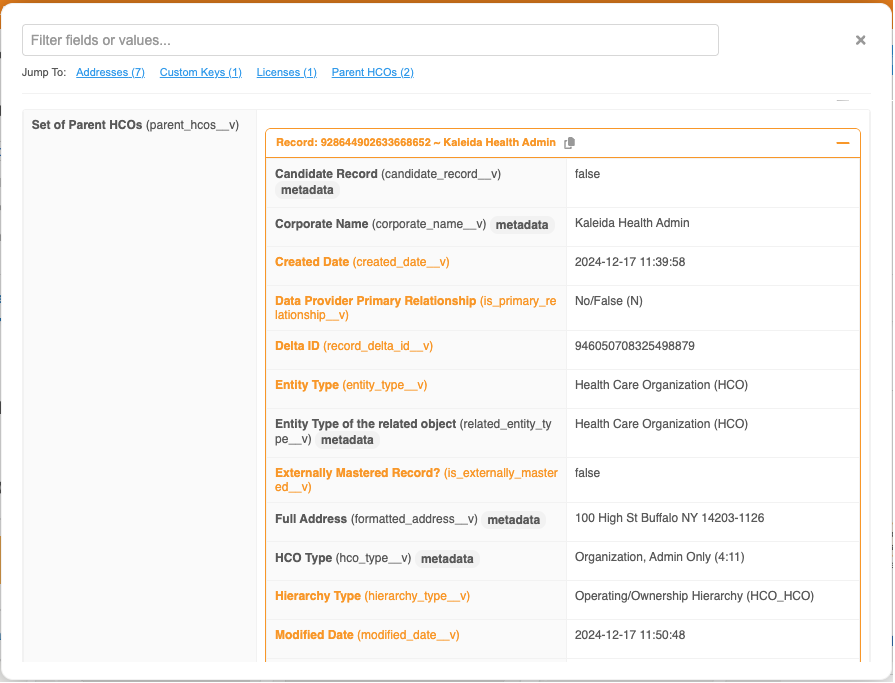
A Metadata tag is added beside fields that are not part of the data model but are added to help users understand the record; for example, the corporate_name__v field is added to parentHCO records.
-
Display order - The fields display in alphabetical order.
-
Field color - The color indicates field management if you have the Field Ownership option selected (More Options menu).
-
Multivalued fields - Fields with multiple values display as comma-separated lists.
-
Copy - A Copy icon displays beside each field.
Sections
Separate sections display for sub-objects. Click the section name, for example Addresses or ParentHCOs, to jump to that section in the tool.
Each section can be expanded or collapsed.
Search for fields
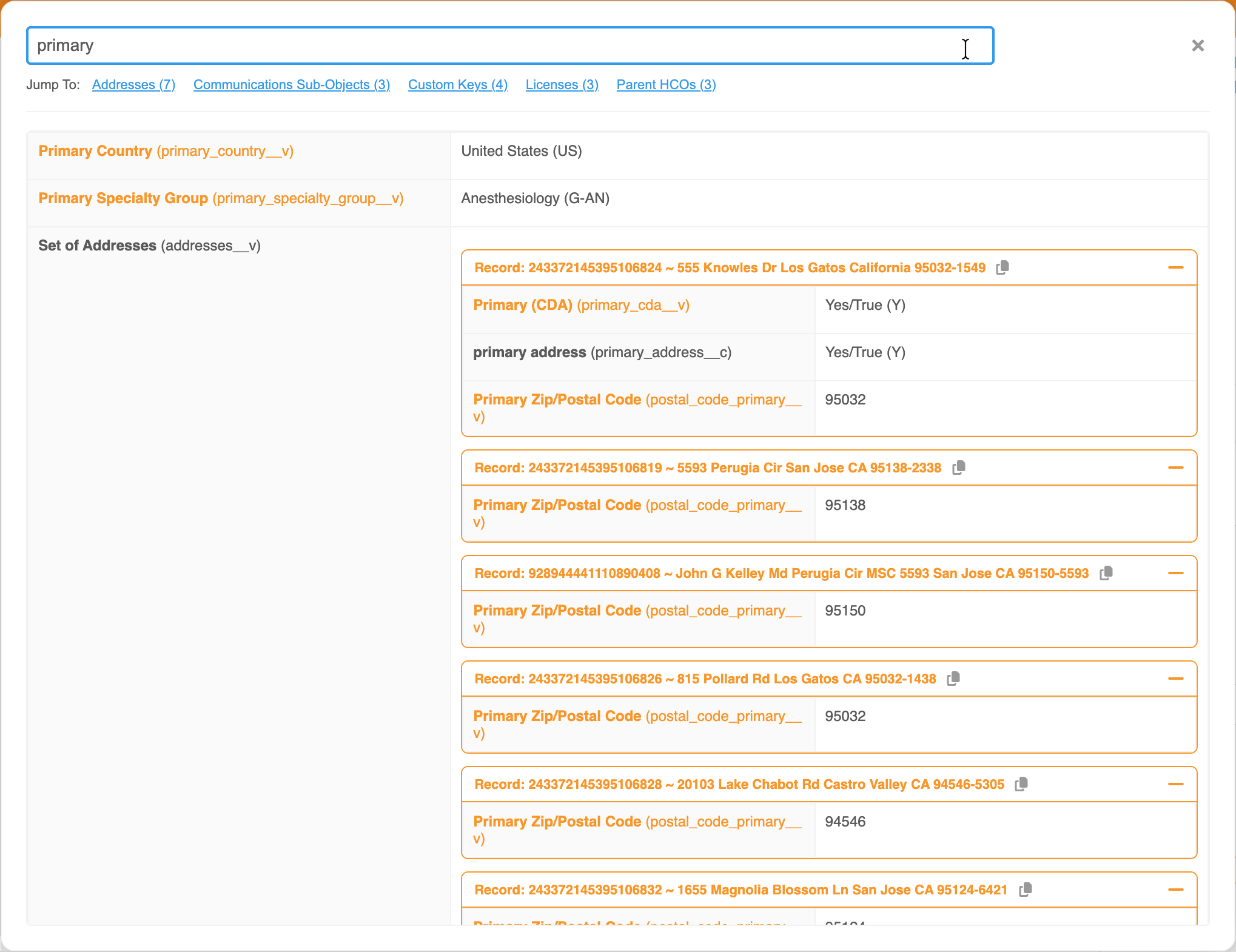
Use the Search bar to quickly find specific data points, for example, field labels and names, reference labels and values.
If you filter the record for a specific search term, your preference is remembered the next time you open Profile Inspector on any record.
Example
Search for "primary" to see all fields on the record that are set to primary.