OpenData subscriptions
Add request routing using NEX
Administrators can configure their OpenData country subscriptions to route add requests submitted from specific sources, systems, and users to local data stewards.
Previously, add request routing was available by HCP/HCO type only. Now, you can use Network Expression (NEX) rules to define criteria for routing add requests directly to your local data stewards.
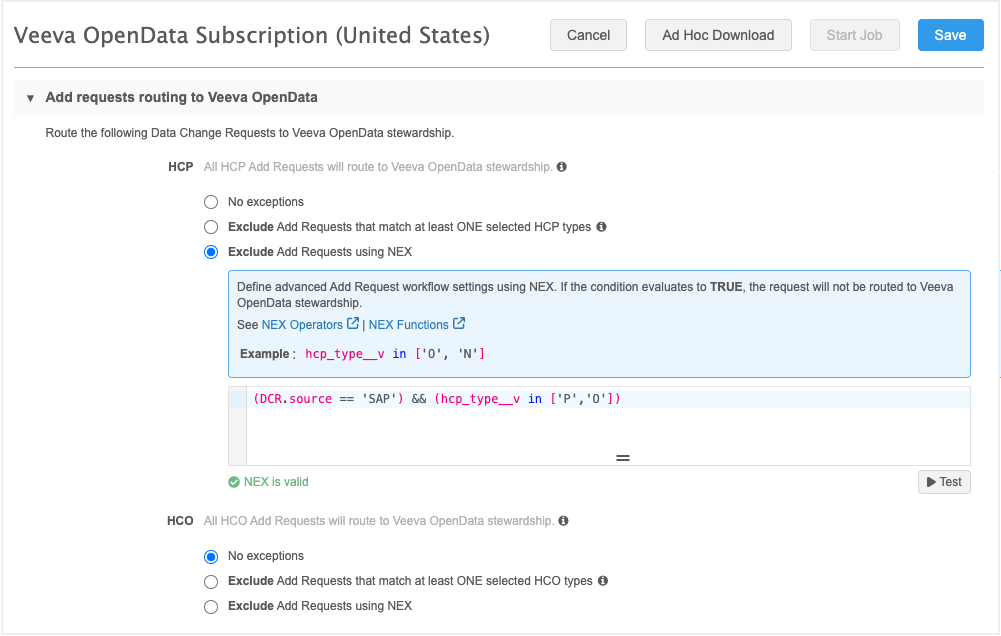
In addition to expanding support, the Add Requests Routing to Veeva OpenData feature is now enabled by default in all Network MDM instances. Previously, it was available only by request.
Impact to existing customers
There is no impact to your existing OpenData configurations. You must explicitly configure add request routing to local data stewards.
Add request routing options
To support the ability to define specific conditions, the Add Requests Routing to Veeva OpenData section is updated to include an option to define NEX rules.
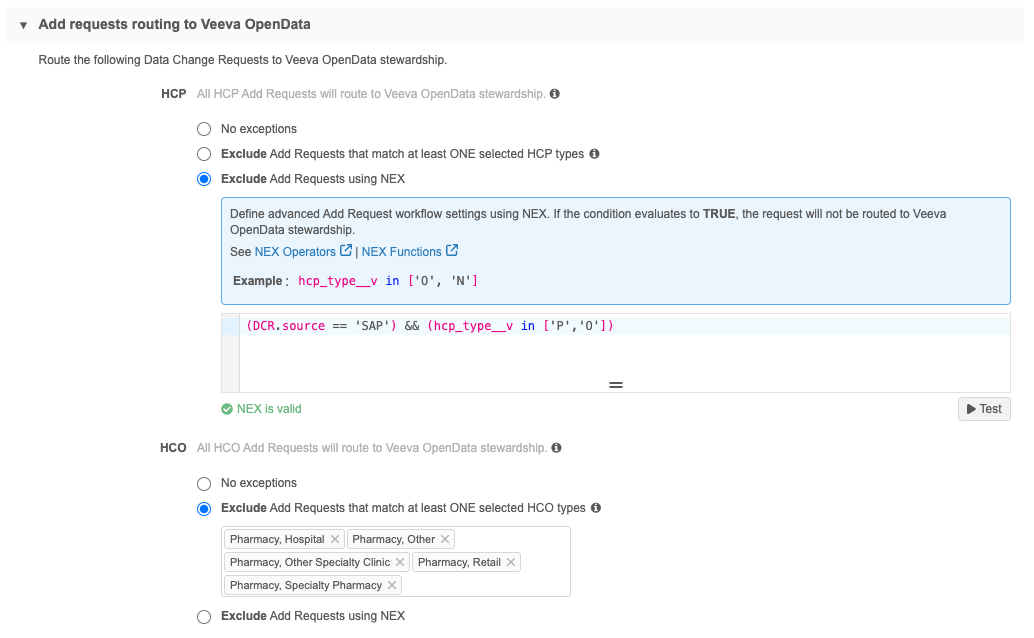
The HCP and HCO heading contain three options:
| Option | Details |
|---|---|
| No exceptions | All add requests are routed to OpenData. This is the default option. |
| Exclude Add Requests that match at least one selected HCP/HCO type | Choose object types from the list. Add requests for those types are routed to local stewards. |
| Exclude Add Requests using NEX | Define NEX rules to specify the records to route to local stewards. |
Define NEX rules
Use the NEX rules option to define specific criteria for routing add requests.
Supported metadata
The following DCR fields can be used to in the NEX rule:
-
creator
-
source
-
system
Example 1: Define specific users
DCR.creator == 'bob.smith@verteo.veevanetwork.com'
Example 2: Define specific sources
DCR.source == 'SAP'
Example 3: Define specific systems
DCR.system== 'SAP_verteo'
Example 4: Define specific source and HCP type
(DCR.source == 'SAP') && (hcp_type__v in ['P','O'])
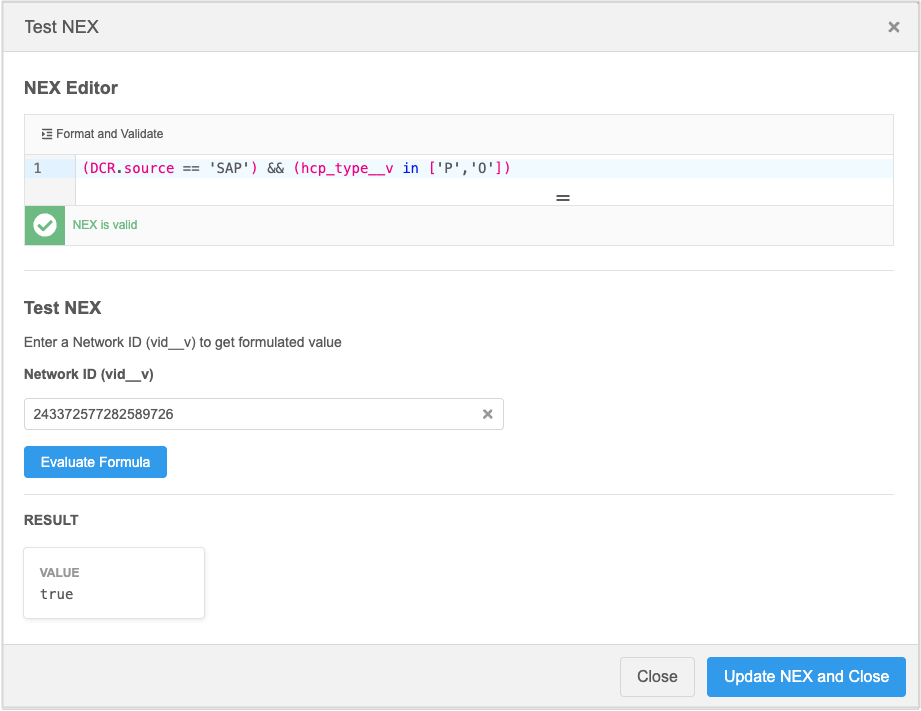
Test NEX rules
Test the NEX syntax to ensure that its valid and that it returns the desired result.
Download unmerged OpenData records
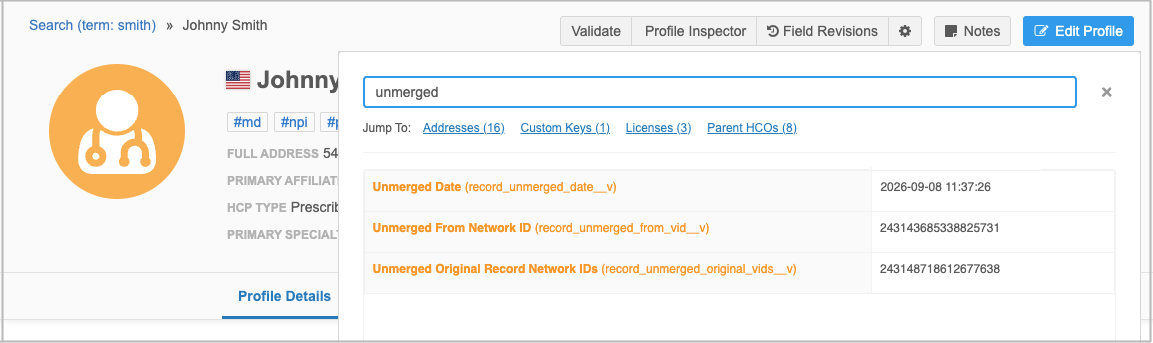
Administrators can now configure OpenData subscriptions to automatically download records that OpenData has unmerged. These are newly created records that were unmerged from HCPs and HCOs in your instance. Previously, unmerged records could be downloaded only using ad hoc download jobs.
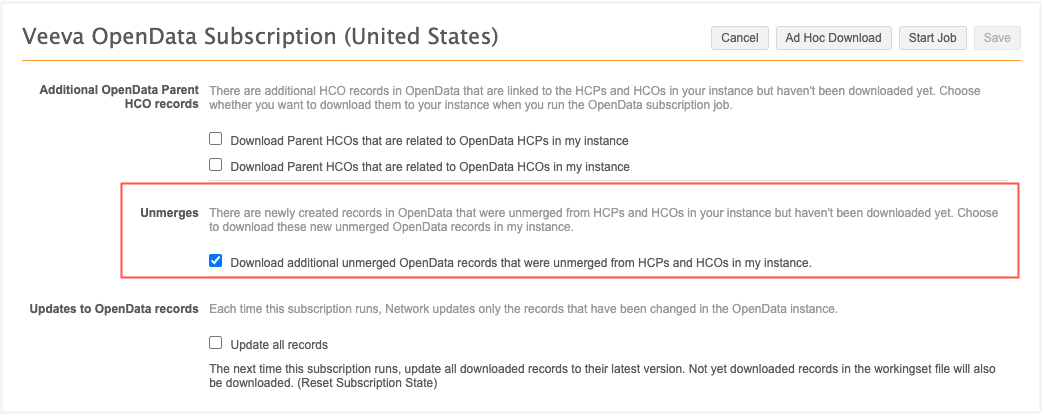
This enhancement is available by default in your Network MDM instance. Administrators can choose to enable it in their OpenData country subscription.
Automatically download unmerged records
OpenData subscription configurations contain a new option to download unmerged records. The Download additional unmerged OpenData records that were unmerged from HCPs and HCOs in my instance option is not enabled by default.
The newly created unmerged records are downloaded when the OpenData country subscription runs if the following conditions are met:
-
The option to download unmerged records is enabled
-
One of the original merged records is in your Customer Master instance
-
One of the original merged records is not unsubscribed in your instance.
Example
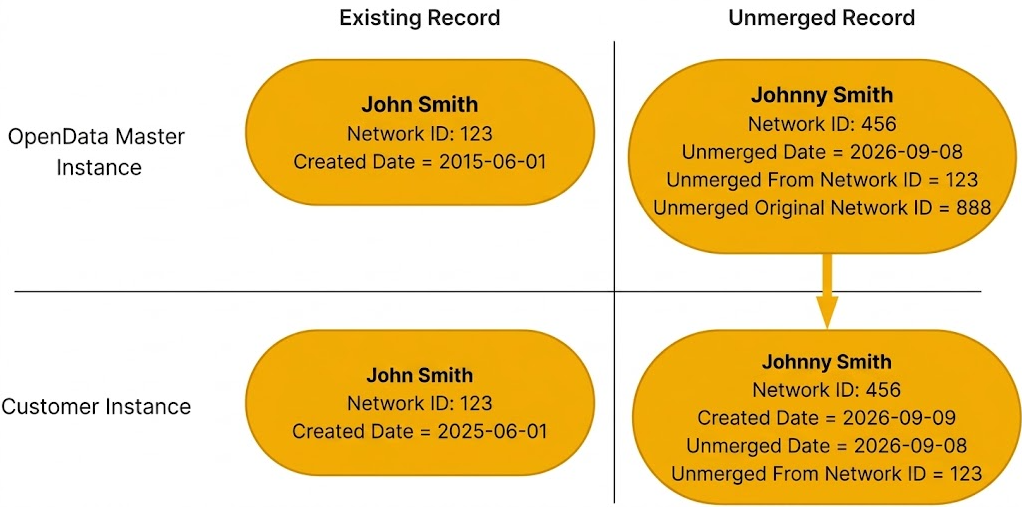
In this example, the OpenData record, John Smith, is downloaded in your Network MDM instance.
OpenData unmerges the record. The Johnny Smith record is created.
If the option to download unmerged records is enabled, the Johnny Smith record will be downloaded the next time the OpenData subscription run. John Smith is already in your instance and it is not unsubscribed.
Unmerged fields
When an unmerged record is added to your instance, it contains the three fields that provide details about the unmerge.
-
Unmerged Date (
record_unmerged_date__v) - Date when the record was unmerged. -
Unmerged from Network ID (
record_unmerged_from_vid__v) - Network ID of record that this record was unmerged from. -
Original Record Network IDs (
record_unmerged_original_vids__v) - The Network IDs of the records that existed before they were merged. It confirms which original record's data is now being restored into the new record.
Tip: To quickly find the fields on the record, open the Profile Inspector and search for "unmerged".