Users
Restrict Admin permissions
Administrators can now use permission sets to control access to administrative functions. This can be especially useful for Data Manager users that have access to features in the Admin console but should not make configuration changes. Administrators can provide access to run subscriptions and view the configuration but restrict edit access to the features.
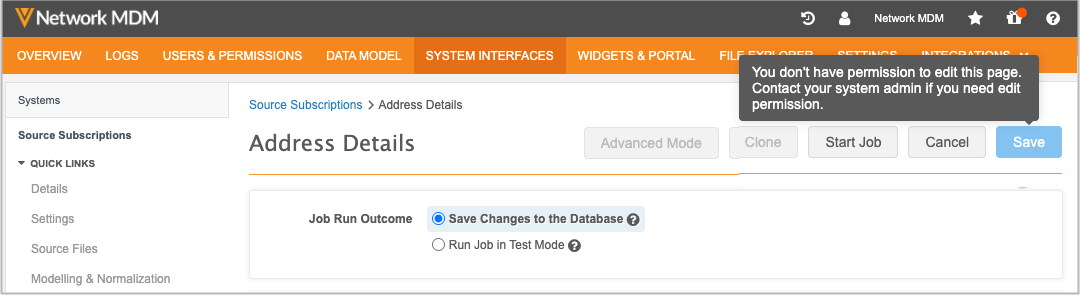
This enhancement is enabled by default.
Supported users
Admin permissions apply to user types that have access to the features in the Admin console:
-
Data Manager
-
System Administrator
-
System and Data Admin
Impact to existing users
There is no impact to existing users. Data Managers, System Administrators, and System and Data Admins continue to have read and write access to the features.
Administrative users must explicitly use permission sets to provide or restrict access to admin features.
Supported features and functions
By default, users have add and edit access to these features. Restricting a feature reduces access to read-only mode and running subscriptions.
| Feature | Add & Edit Functions | Read-Only (Add & Edit Disabled) |
|---|---|---|
| Data model | ||
| Data domains | Add domain
Add object Export Data Model Save objects Add fields Enable / disable fields Save fields |
View |
| Reference Data | Add reference type Edit reference type summary Import reference codes. |
View
Export |
| System Interfaces | ||
| Systems | Add system Save system |
View |
| Source subscription | Add subscription
Clone subscription Save subscription Access Advanced Mode |
View
Start Job |
| Target subscription | Add subscription
Clone subscription Save subscription Export by Network ID |
View
Start Job |
| Veeva OpenData subscriptions | Create New Country Group
Save subscription |
View
Start Job Ad Hoc Download |
| Match Configurations (Ad Hoc Match Configuration, Match Default Configuration, Add Request Match Configuration) |
Save configuration | View |
| Match Rule Collections | Add Collection
Save collection |
View |
| Source Rankings | Save | View |
| Transformation Rules | New Rule Save rule Clone Delete |
View |
Admin Permission Set
A new permission set called Admin Permission Set is added to your Network MDM instance.
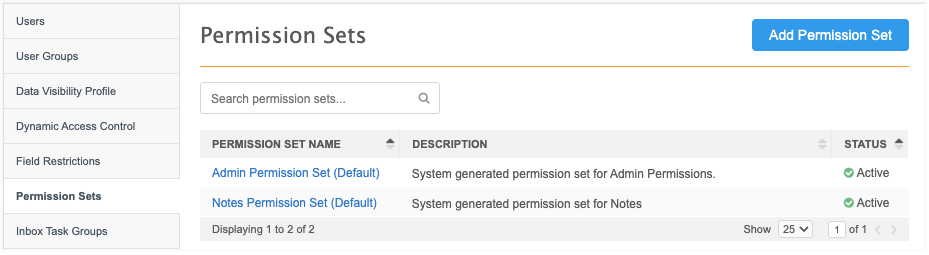
It includes the following system-managed user groups:
-
Data Managers
-
System Admins
-
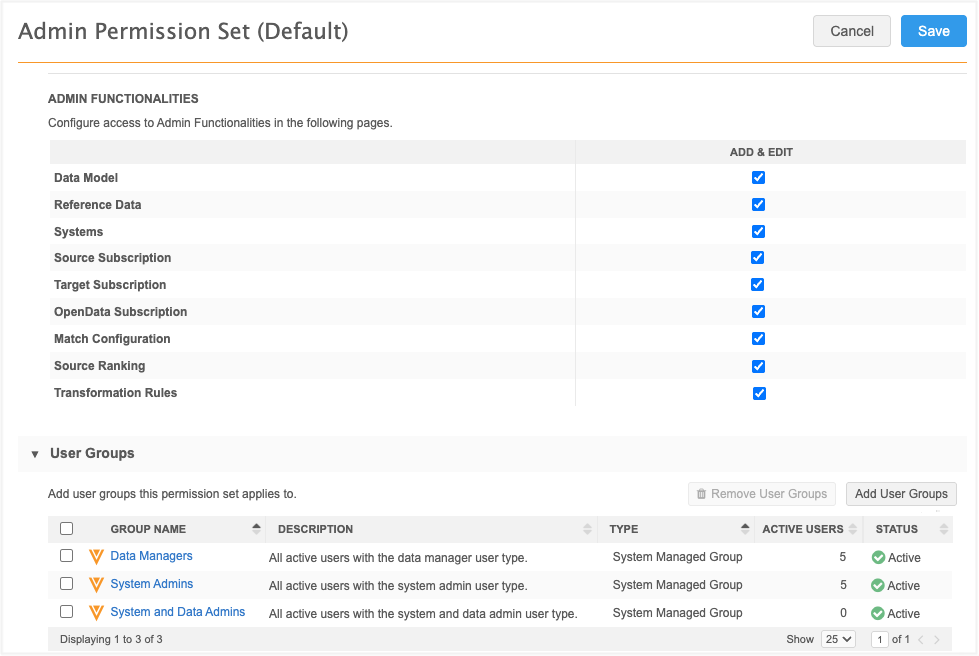
System and Data Admins
These groups contain all users of that type that are defined in your Network MDM instance.
All features in the Admin Functionalities section have Add & Edit permissions by default. This ensures that there is no impact to existing users.
Example scenarios
-
To restrict these Admin features for Data Managers, remove the Data Managers user group from the Admin Permission Set.
-
To restrict Admin features on a more granular level (for example, by user), create a new permission set and assign access by user.
If users are included in multiple permission sets, the highest permission level wins.
Logs
Changes to the permission sets are tracked in the System Audit Log.