OpenData subscriptions
Download unmerged OpenData records
Administrators can now configure OpenData subscriptions to automatically download records that OpenData has unmerged. These are newly created records that were unmerged from HCPs and HCOs in your instance. Previously, unmerged records could be downloaded only using ad hoc download jobs.
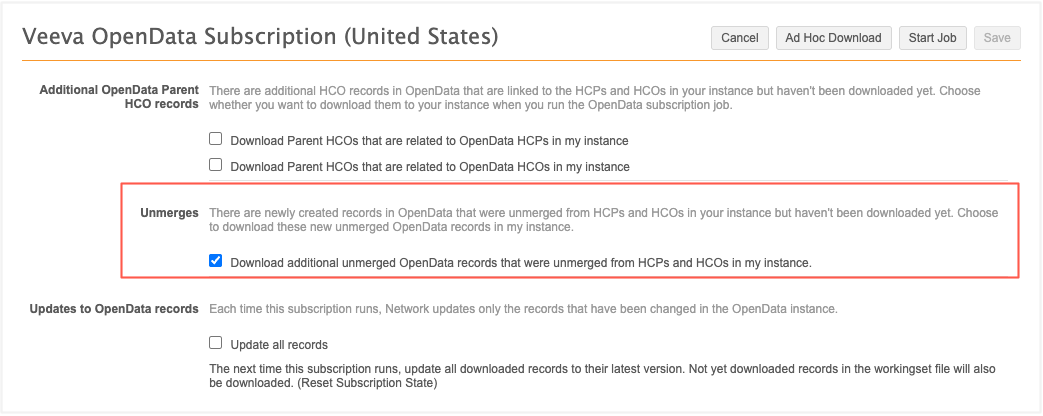
This enhancement is available by default in your Network MDM instance. Administrators can choose to enable it in their OpenData country subscription.
Automatically download unmerged records
OpenData subscription configurations contain a new option to download unmerged records. The Download additional unmerged OpenData records that were unmerged from HCPs and HCOs in my instance option is not enabled by default.
The newly created unmerged records are downloaded when the OpenData country subscription runs if the following conditions are met:
-
The option to download unmerged records is enabled
-
One of the original merged records is in your Customer Master instance
-
One of the original merged records is not unsubscribed in your instance.
Example
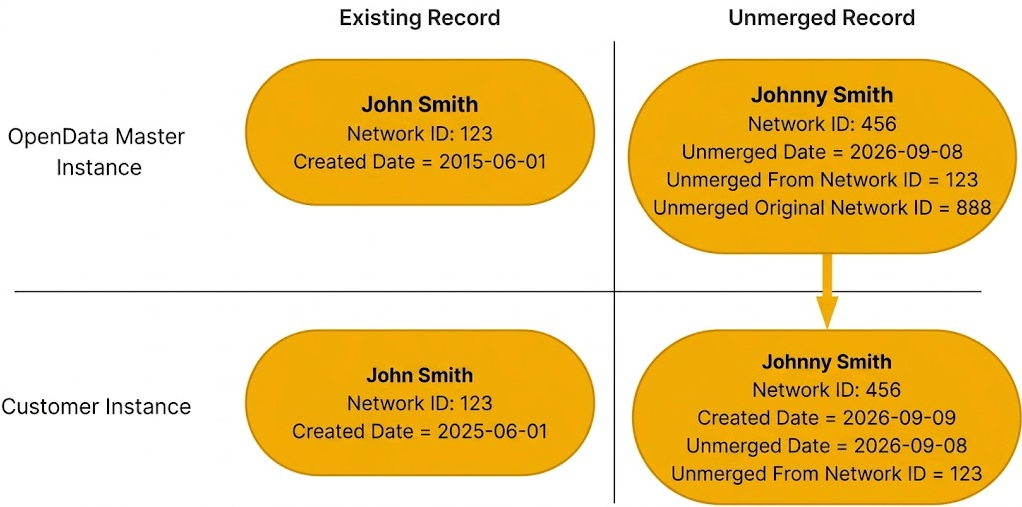
In this example, the OpenData record, John Smith, is downloaded in your Network MDM instance.
OpenData unmerges the record. The Johnny Smith record is created.
If the option to download unmerged records is enabled, the Johnny Smith record will be downloaded the next time the OpenData subscription run. John Smith is already in your instance and it is not unsubscribed.
Unmerged fields
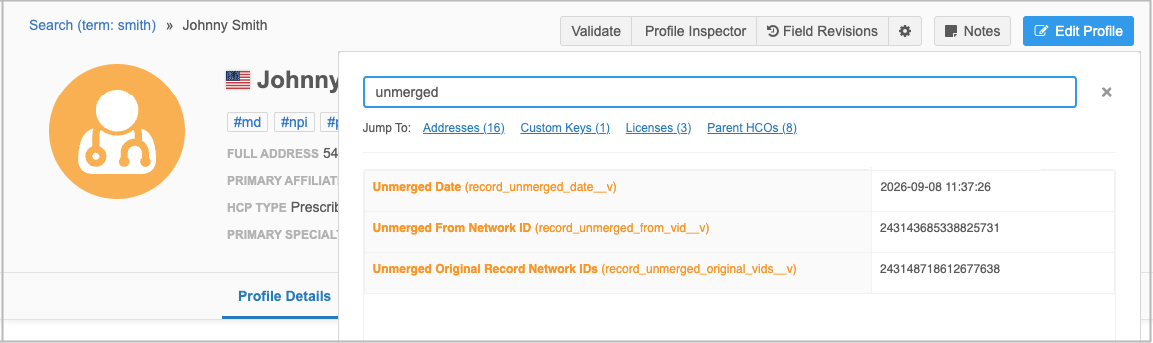
When an unmerged record is added to your instance, it contains the three fields that provide details about the unmerge.
-
Unmerged Date (
record_unmerged_date__v) - Date when the record was unmerged. -
Unmerged from Network ID (
record_unmerged_from_vid__v) - Network ID of record that this record was unmerged from. -
Original Record Network IDs (
record_unmerged_original_vids__v) - The Network IDs of the records that existed before they were merged. It confirms which original record's data is now being restored into the new record.
Tip: To quickly find the fields on the record, open the Profile Inspector and search for "unmerged".