Network Widgets
Hide addresses on account profiles
Administrators can now hide addresses on account profiles using the field settings in the profile layout. The Always Display field setting now applies to Network widgets. When the setting is cleared, addresses are removed from profiles in widgets using that layout.
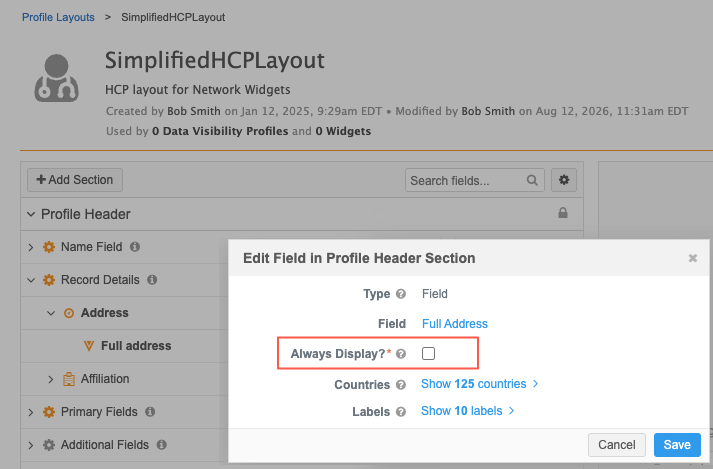
This enhancement is available by default. Administrators can configure the Always Display setting in profile layouts.
Supported widgets
-
Profile widget
-
Search widget
This change is applied to any Search or Profile widget using the profile layout.
Hide addresses
-
In the Admin console, click Data Model > Profile Layouts.
-
Open the layout assigned to your widget.
-
Under Profile Header, expand Record Details.
-
In the Address section, click the Edit icon next to the Full Address field.
-
In the Edit Field in Profile Header Section dialog, clear the Always Display setting. It is enabled by default.
-
Save your changes.
Addresses will now be removed from profiles in widgets that use the layout.