Vault CRM integrations
Vault CRM credential
To simplify integrations, Vault CRM provisions a dedicated Network System User in each Vault CRM instance. This enhancement allows Vault CRM administrators to manage the Network MDM integration without maintaining a Vault Integration username and password. This single-purpose user eliminates conflicts with other integrations that use the same user and removes issues that can occur when passwords expire.
To support this change, in your Network MDM instance, you can now create a secure connection to Vault CRM using the new Vault CRM credential type. Previously, the Vault credential was used with the Vault Integration user and password.
This enhancement is enabled by default in your Network MDM instance.
About the Network System User in Vault CRM
A Network System User is provisioned in Vault CRM for every Vault CRM instance. This user replaces the Vault Integration user.
The user is set with predefined permissions, but you will need to extend the permissions for the user to be fully functional. For example, provide access to object types and custom fields.
The Network System User will be supported in Vault CRM 26R1.3 (June 2026). Details are available in the Vault CRM 26R1.3 Release Notes.
New Vault CRM implementations
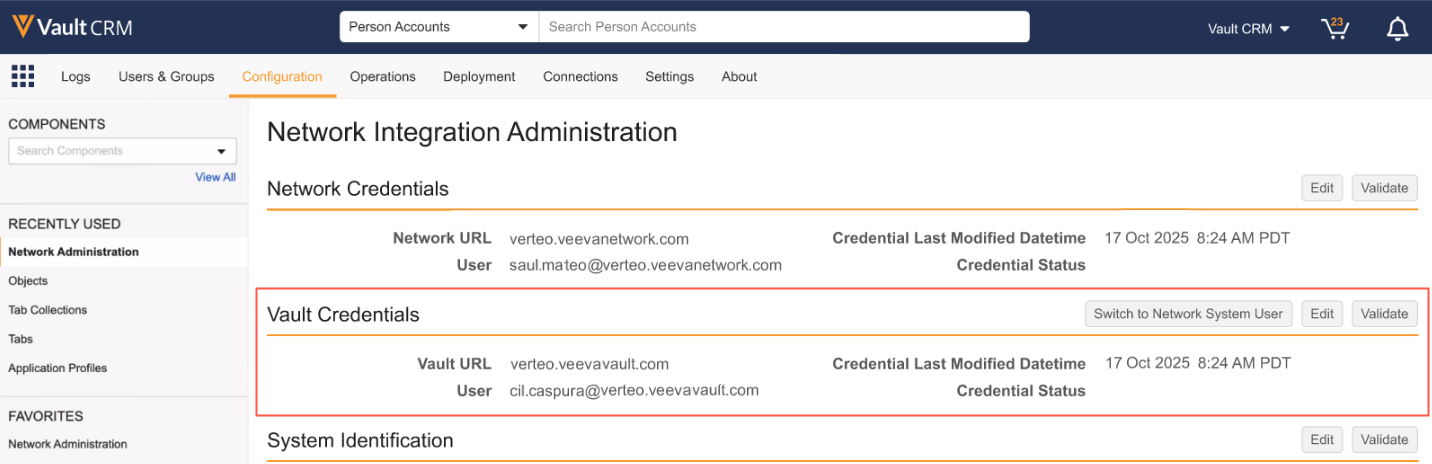
When you are setting up a new Vault CRM implementation, the Network System User is enabled by default on the Network Integration Administration page (Configuration).
The Credentials section displays the Vault URL and the User. The naming convention of the user is application-network_int@<vault_domain>.
Example
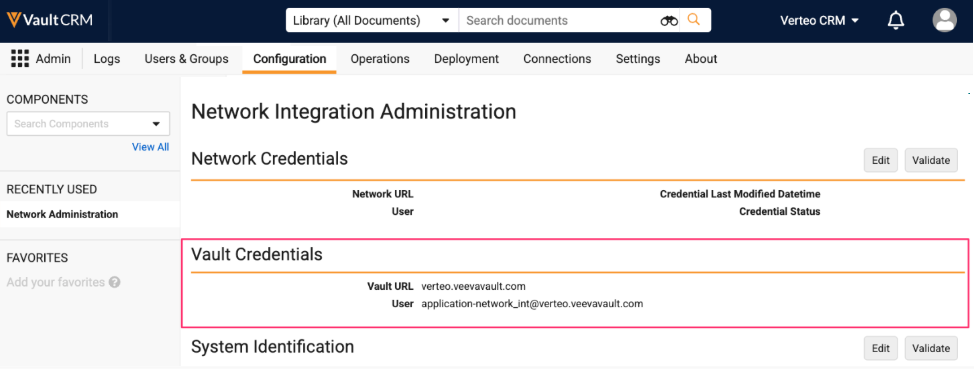
Note: In the Network Credentials section, add the Network URL and Network Integration User as usual so you can connect your Network MDM instance to Vault CRM.
Existing Vault CRM implementations
If you are already integrating with Vault CRM, update your Vault CRM and Network MDM configurations to use the Network System User.
Important: After switching to the Network System User, the change cannot be reversed.
Process
The following tasks must be completed in Vault CRM and Network MDM to update the integration to use the Network System User.
-
Vault CRM - Complete the prerequisite tasks for the Network System User.
-
Network MDM - Create a Vault CRM credential. This new credential type uses the Network System User to connect Network MDM to Vault CRM.
-
Network MDM - Update the Vault CRM Bridge to use the new Vault CRM credential.
-
Vault CRM - Switch from using the Vault Integration user to the Network System User.
Prerequisite tasks for the Network System User
Complete these tasks in Vault CRM:
-
Update the permissions for the Network System User based on your business needs. For example, provide access to custom fields and object types.
-
Create or update Veeva Settings and Network Settings for the Network System User Application Profile (System User Application Profile).
-
Create a Veeva Support ticket to update data change requests that are pending from Vault CRM to include the Network System User.
Create a Vault CRM credential
Add a Vault CRM credential in your Network MDM instance. This new credential type uses the Network System User instead of the Vault Integration user.
Supported features
The new credential can be used for the following features:
-
Data Launch Accelerator
-
Vault CRM Bridge
-
Validate Vault CRM Bridge
Note: The Vault CRM credential is not supported for Veeva Connectors and Vault Data Components. Continue using a Vault credential for these features.
Add the credential
-
In the Admin console, click Settings > External Credentials.
-
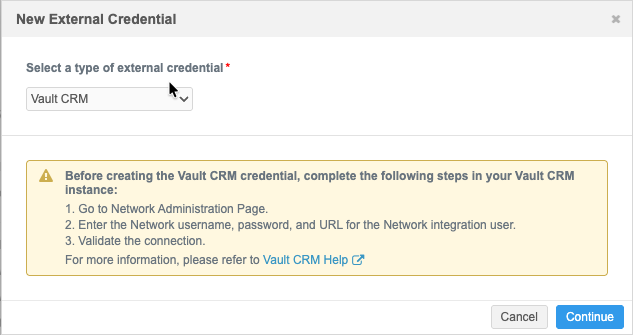
Expand the list and choose Vault CRM.
Review the information in the dialog and ensure that the Network Integration username, password, and URL are added to the Network Administration page and that the connection is valid.
For details, see Administrative Tools in the Vault CRM Online Help.
-
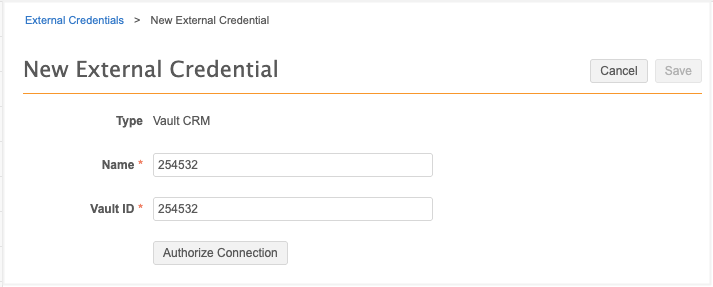
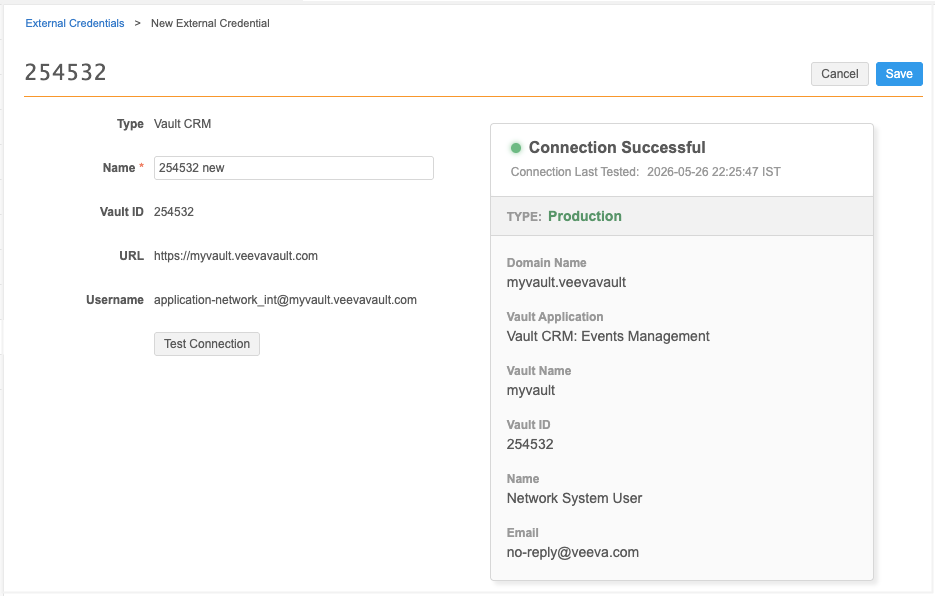
Define the Vault CRM credential Name.
-
Type the Vault ID.
-
Click Authorize Connection.
Network MDM validates that the Vault CRM instance is configured to point to this Network MDM instance.
-
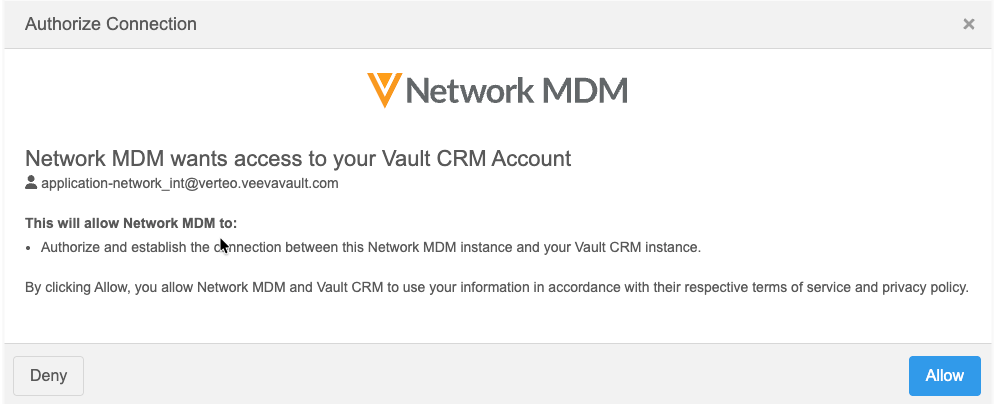
If the validation is successful, the Authorize Connection dialog displays.
Click Allow to confirm that you want to connect your Network MDM instance to the Network System User in Vault CRM.
-
The Test Connection action is automatically triggered. If the connection is made to Vault CRM, a success message displays.
-
Save your changes.
Update the Vault CRM Bridge
Change the credential used for the bridge so your bridge jobs continue to connect to Vault CRM.
-
In a bridge configuration, expand the External Credential list and choose the credential under the Vault CRM heading.
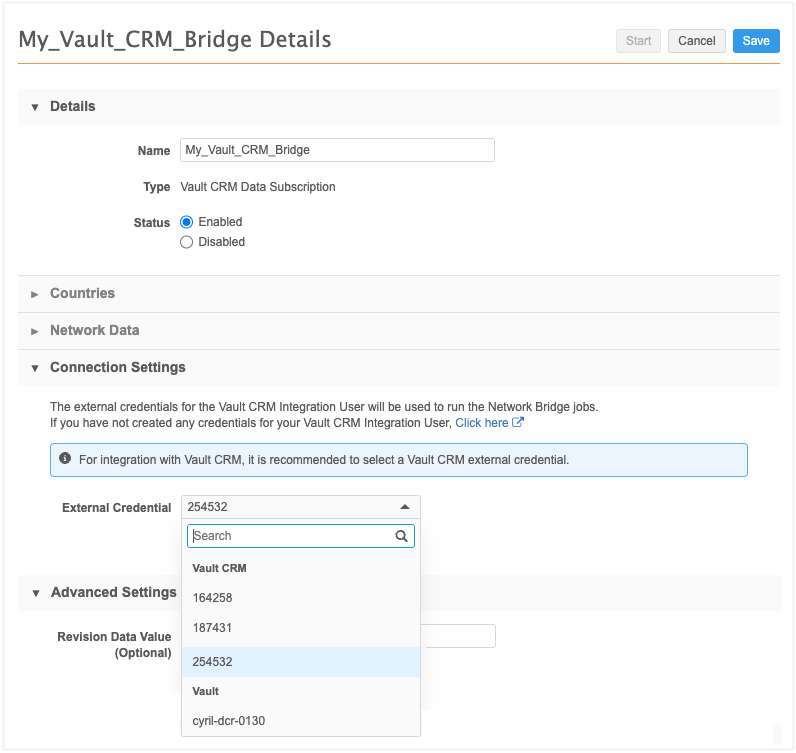
The bridge will now use the Vault CRM credential to connect to Vault CRM.
Switch to the Network System User
To start using the Network System User:
-
In Vault CRM, open the Network Integration Administration page (Configuration).
-
In the Vault Credentials section, click Switch to Network System User.
-
An alert displays to ensure that you understand that the change is not reversible. Click Continue.
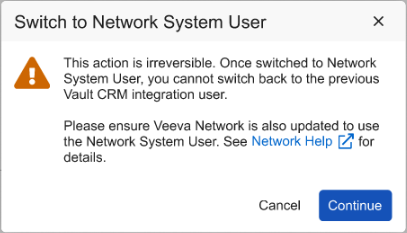
The Vault Credential section updates to change the existing Vault Integration user credentials to the Network System User credentials.
Note: There is no Edit button for the Vault Credentials section. The Network System User cannot be changed.