Data change requests
Master data disclaimer
For compliance, you must now confirm that the new information you are submitting in a data change request was not sourced from another master data provider. This ensures that data that you license from another provider is not shared with another master provider.
The following message displays when you submit a change to a mastered field on a mastered record.
Disclaimer
I confirm that the information I am submitting is based on my personal observations, research or interactions with an HCP/HCO, and is not based on any information my company licensed from another data provider.
This enhancement is enabled by default in your Network MDM instance.
Impacted records
The confirmation applies to records owned by the following master data providers:
-
Veeva OpenData
-
IQVIA® OneKey
-
Other third-party data providers
Required confirmations
The disclaimer displays only when you submit a change to a mastered field that is routed to a master data provider.
| Record Owner | DCR Fields | Confirmation Required? |
|---|---|---|
| OpenData | OpenData | Yes |
| OpenData | OpenData and Customer | Yes |
| OpenData | Customer | No |
| Third Party | Third Party | Yes |
| Third Party | Third Party and Customer | Yes |
| Third Party | Customer | No |
| Locally managed | Customer | No |
Supported DCRs
-
Add Requests
-
Change requests
Confirming the DCR data
When you submit a change on a mastered record, the confirmation displays when you apply the change. You must confirm when you submit an add or change request through the following methods:
-
Profile page
-
Network widgets (Search, Profile, Hierarchy Explorer)
Example DCR submitted from the Profile page
On the Profile page, the confirmation displays on the Apply Change Request dialog.
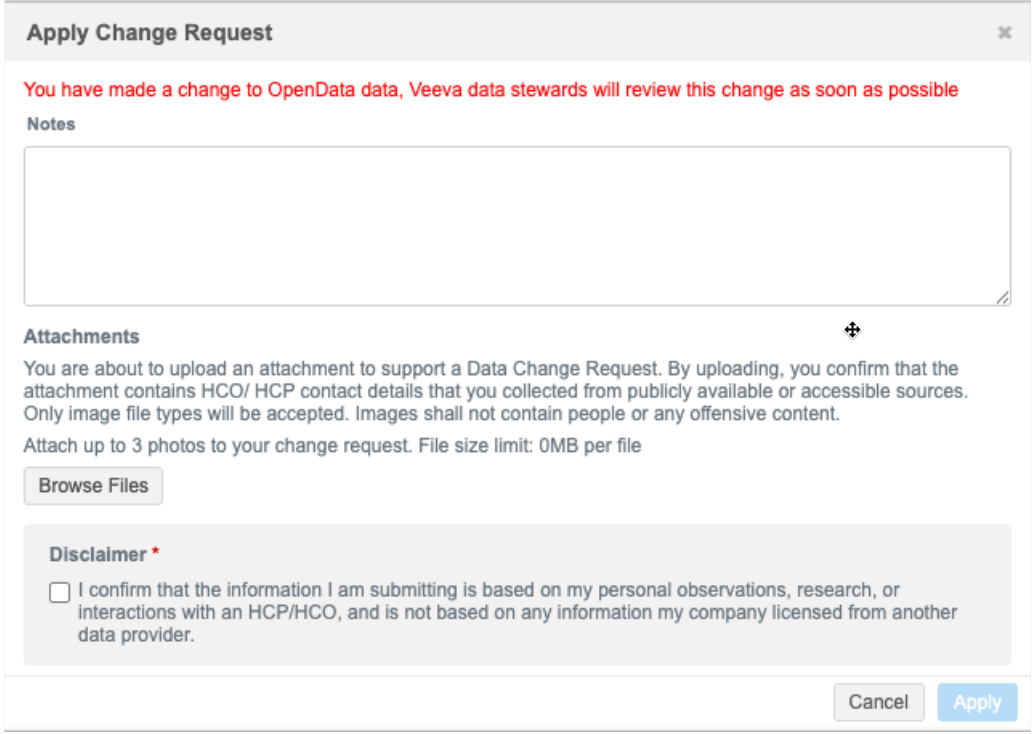
Select the checkbox to confirm that the data did not originate from another data source. The Apply button is not active until the confirmation is applied.
Send to OpenData
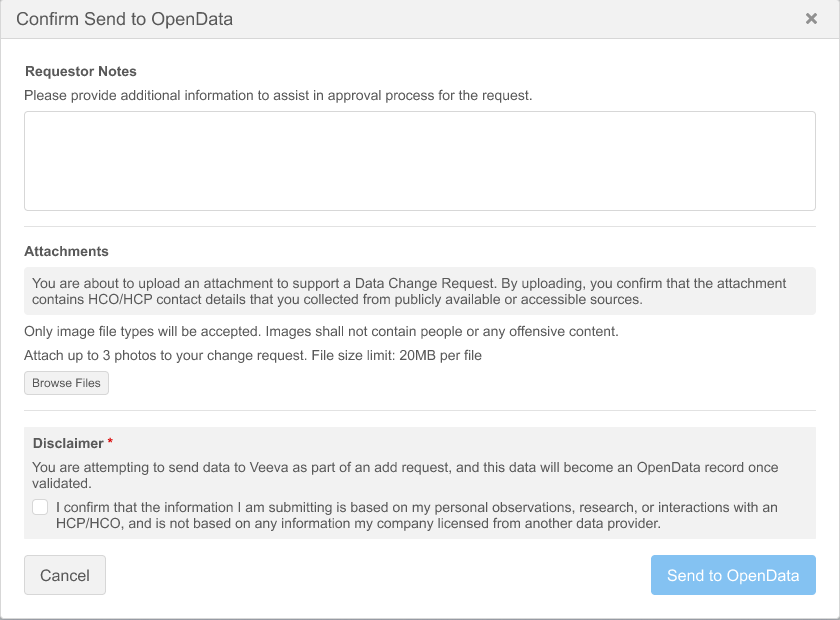
Local data stewards must confirm that they are not including third-party data when they send a record to OpenData to start mastering.
The Send to OpenData button is not active until the confirmation is applied.
Change Request API updates
The Change Request API contains a new parameter to identify the master data confirmation:
-
source_verified
Integration users should submit DCRs with the source_verified parameter to confirm that data in the DCR is not from another data provider.
Supported values
| Value | Outcome |
|---|---|
| true |
The DCR is routed to the appropriate master to be processed.
Note: If the source_verified value is not defined, the DCR outcome is the same as true. However, it will not be logged in the Task Audit Log because there is no value. |
| false |
The DCR on existing master managed fields are auto-rejected.
If Review Rejections is on (Workflow Settings), a new add request or new sub-object is routed to local data stewards. |
API version
The source_verified parameter is supported for Network API version 39.0. If the parameter is used in earlier API versions, it is ignored.
Example request
POST https://my.veevanetwork/api/v39.0/change_request/search?source_verified=true
Example response
{
            "change_request_id": "949198485141127199",
            "status__v": "CHANGE_PENDINGREVIEW",
            "result__v": null,
            "entity_type": "HCP",
            "vid_key": null,
            "vid__v": null,
            "metadata": {
                "creator": "crmuser@verteo.veevanetwork.com",
                "note": "John Smith is a new doctor at Memorial Hospital",
                "source": "Veeva CRM",
                "system": null
            },
            "resolution_notes": null,
            "entity": {
                "object_id": "949198485140668447",
                "object_name": "HCP",
                "first_name__v": {
                    "change_requested": "John",
                    "final_value": null,
                    "result": null
                },
                "last_name__v": {
                    "change_requested": "Smith",
                    "final_value": null,
                    "result": null
                },
                "primary_country__v": {
                    "change_requested": "US",
                    "final_value": null,
                    "result": null
                }
            },
            "source_verified": "true",
            "created_date": "2026-06-26T10:51:51.000-04:00",
            "completed_date": null,
            "taskCountry": "US",
            "task_type": "ADD_REQUEST",
            "original_task_type": "ADD_REQUEST",
            "parent_task_ids": [],
            "reserved_vid": null
        }
The Search Change Request and Retrieve Change Request responses contain the source_verified value if the parameter was submitted in the DCR.
Logs
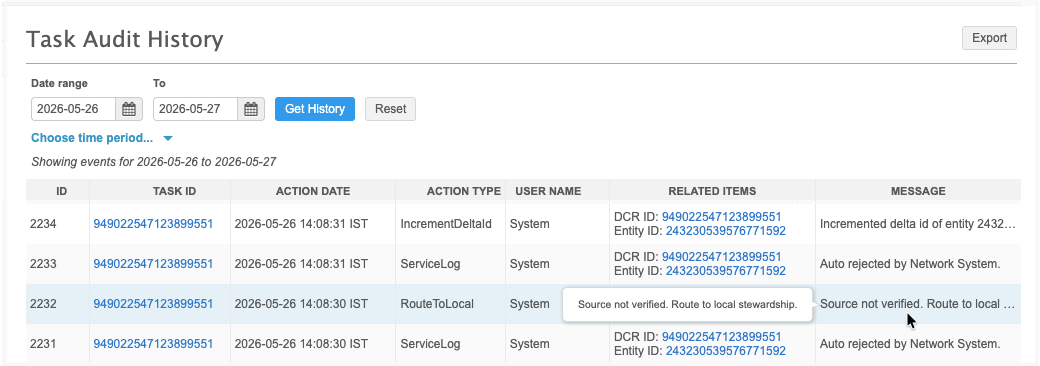
Administrators can track the master data confirmation responses using the Task Audit History (Logs).
A new Action Type is created to identify the response for all DCRs.
| ActionType | Message |
|---|---|
| RouteToLocal | Source not verified. Route to local stewardship. |
Example