Viewing revision history
DM
DS
ST
A record's revision history provides you with a history of the actions on the record from the time it was added to your Network MDM instance.
Preview box
On record profiles, use the Revision History preview box to quickly identify if the profile is reliable, up-to-date, and does not have underlying data issues. The four most recent record changes and the record creation date display in the box and can be clicked to view more details. The total count of revisions, between the record creation and most recent changes, is helpful to understand how often a record is changing; frequently changing records often have underlying data issues or conflicting sources.
If changes were made to the record today, the typical date stamp is replaced with "Today"; for example, Today at 14:40:03 IST.
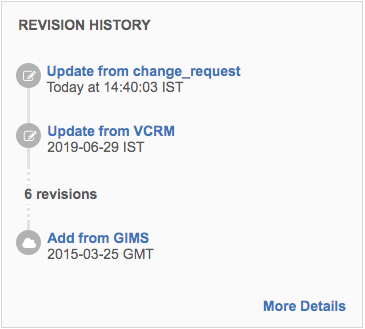
Tip: Right-click the links to open the Revision History page in a new browser tab.
Revision History page
When you click More Details in the Revision History preview box, the page opens and displays the record changes.
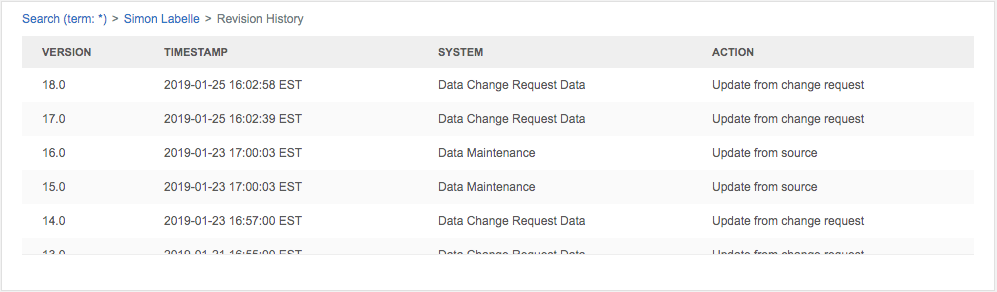
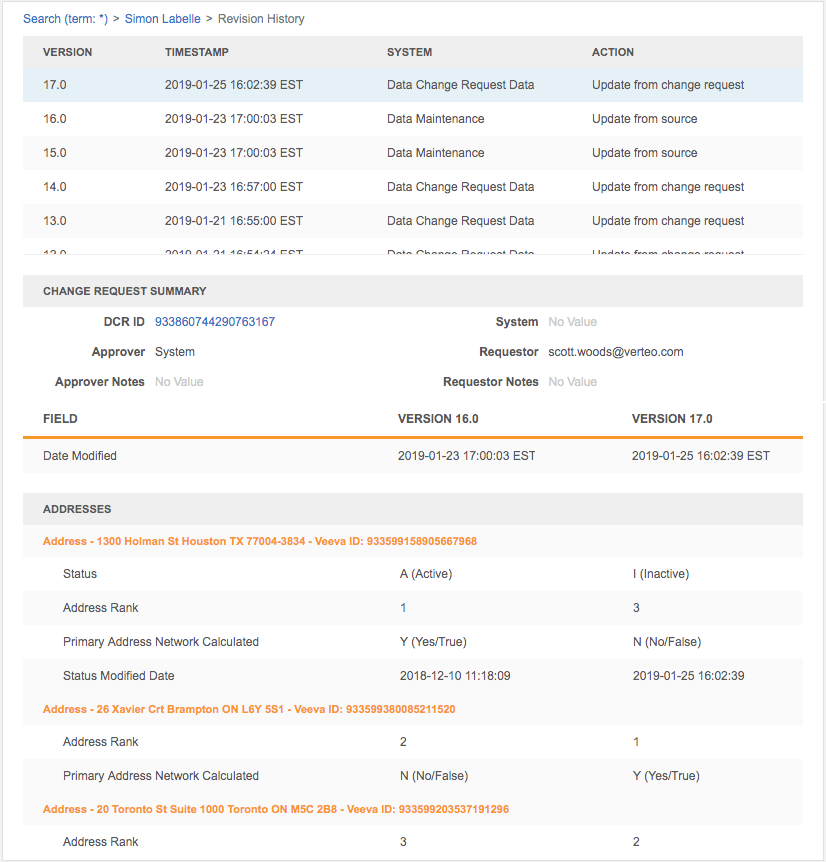
The revision history indicates the version or versions of the profile, the date and time of each version, and the action that was performed on the profile. Click a row to review the details of the change.
The details display the updates by field and the changes with the previous version.
Merge and unmerge approver details
The Revision History displays the name of the data steward or data manager that approves any merge or unmerge requests. On merge requests the details also include any comments provided by the approver.
These details display for any requests completed after version 17R2.1. Requests that were completed before 17R2.1 do not display these details.
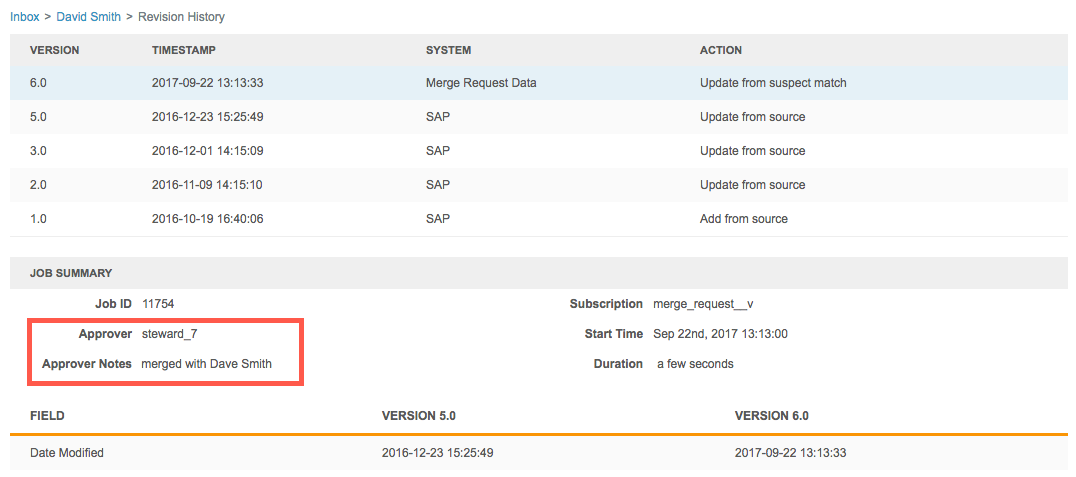
Note that merge requests are only shown in the Revision History for the losing record. Unmerge requests are shown in the Revision History for both records.
Display hidden relationships
A record's revision history lists all changes to the record, but when an update involves a hidden relationship, no details display for that version. These empty updates are flagged as hidden relationships and you can choose to view the details.
What are hidden relationships?
For completeness, each change creates a version in the record's revision history. This includes changes that OpenData makes to a record's relationships.
A hidden relationship occurs in the following situations:
-
The parent HCO is not downloaded to your Network MDM instance.
-
In 2-tier and 3-tier hierarchies for China, the relationship is dropped because it is not valid for the hierarchy structure.
When OpenData adds a relationship that is hidden to you for one of the reasons above, a new version is created, but only the modified date displays.
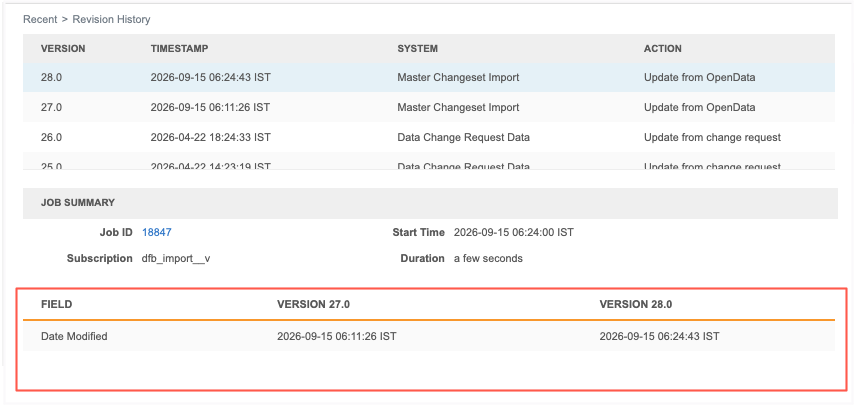
Show hidden relationships
When the revision involves a change to a hidden relationship, the Job Summary section displays the Show hidden relationships option. The option is off by default.
Select the option to display the details made to the parent affiliation in the OpenData master instance.
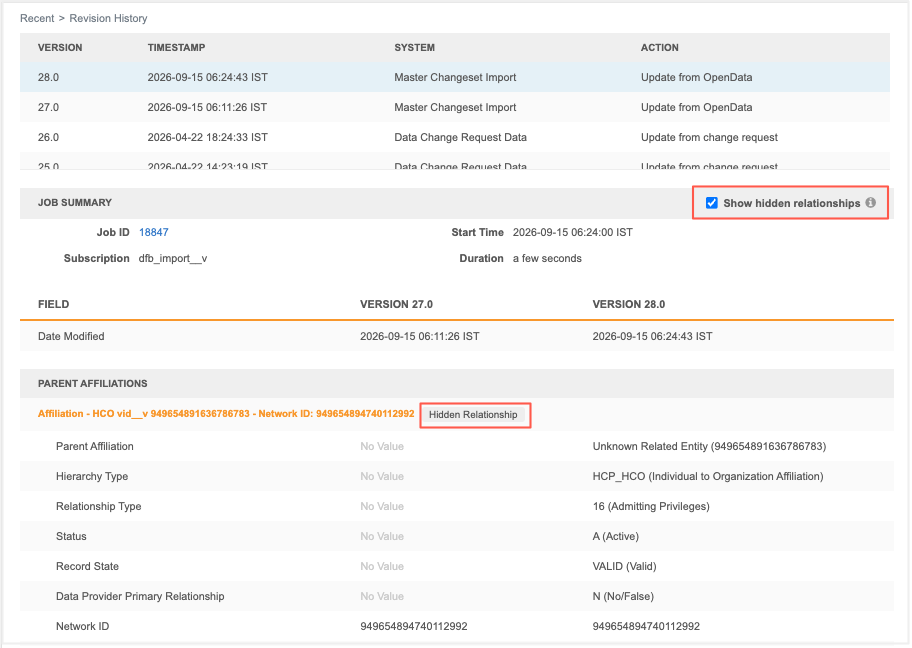
When the Show hidden relationship option is on, hidden relationships are tagged so you can quickly identify those relationships.
Impact to other Network MDM features
Hidden relationships display only in the record's revision history.
They do not display in other features, including field revisions and revision history reporting.
Reporting
Network users with access to advanced ad hoc reports can now create reports to review the revision history for records. For more information, see Revision history reporting.